


Collecting content from clients is one of the biggest bottlenecks in the web design process.
The problem of getting meaningful content on time isn’t just limited to websites, though. Any project that requires significant input from the client is susceptible. Running a digital agency, this can be just about anything.
In this post, we’ll talk about:
Many examples in this post include screenshots from our software solution, Content Snare. Even though it was created to help solve this problem, everything in this post can be applied to your existing process and other systems. We’ll even show you some alternative tools.
Prefer video? This post is available as a video series on YouTube: How to collect website content from clients.
First, let’s talk about why this is so important to get right.
As soon as you send a content request to your client, you are at their mercy. More often than not, they’ll take a long time to get back to you, grinding projects to a halt.
Then there’s a back and forth via email which can easily end up spanning 50+ emails (if you’re lucky) with massive attachments and a whole lot of unusable content that requires sorting and editing.
All of this results in:

There’s one major thing that makes getting content from clients problematic: Creating content is both time consuming and difficult for client.
Difficult and long tasks tend to get placed at the bottom of their ever-expanding to-do list.
We somehow need to show clients that:
The key to all of this is that you need to make it easy for your clients.
A great content workflow takes time to set up, but a little bit of work now will save you hours later.
Content Snare is a stress-free way to collect website content. You’ll have all your client content in one place, and you’ll never have to send a reminder again because our platform does it for you.
The way you obtain website content depends on many details, including the number of projects you’re working on, your budget, and overall resources.
However, the tips we’ll discuss below apply to all types of digital agencies and web designers in general. Let’s take a look.
When your clients know what is expected of them, the process goes much smoother.
The last thing you want to do is spring a content request on them without any warning.
Setting expectations doesn’t mean having one sentence buried in a lengthy legal contract saying that content is your client’s responsibility. It means making it very clear as soon as possible, and reiterating it several times throughout the process.
Here are a few ways you can do that.
If you’re using an online intake form for clients to submit their info, add a question that asks about their content, and if they already have it sorted. Choices might include:
These are just examples. That last option opens up the opportunity to upsell your client into writing content for them, provided you want to do that.

When you meet with your client for the first time, this is a perfect opportunity to reiterate that you will need content from them. Gauge whether they are willing to pay for it to be done, or if they are doing it themselves.
If they ask about delivery timeframes, it’s a great opportunity to mention that almost every website that doesn’t launch on time is because of content delays. That usually gets their attention.
It’s up to you what happens when a website is delayed because of content. But don’t bury that clause in the terms and conditions.
Instead, include a simple “at-a-glance” style section at the front of the proposal that lists all of the important stuff in plain English. Of course, include the fact you’ll need content to build their site.
If you include timelines in your proposal, this is a perfect location to mention that any delays in content will cause a delay in the launch date. It will depend on your process, but here you can say that projects enter the development queue only once all content has been received.

It’s probably a safe bet to assume your clients are busy. Most business owners and employees are. It’s likely that even after you’ve told them that content is important and that it is their responsibility, they’ll still forget about it.
The easiest way to fix that is by checking in with them occasionally. Here are some ways to do that.

Time blocking is a productivity technique where you allocate some time each week to dedicate to a certain task. Assign someone on your team to check on the progress of all projects once a week and reach out to clients where necessary.
You can use this time block for other things as well, like requesting design feedback from clients.

There are plenty of tools out there that can help you keep on top of emails that need a response from clients. My favourite is FollowUpThen. It doesn’t require any installation - you just bcc natural times like “1week@followupthen.com” and it’ll bounce back to you to remind you to check in for content.

If you use an email automation tool like Active Campaign (pictured above), you could send clients a series of email reminders. Some tools allow you to create cyclic reminders (like every 5 days). Just make sure you remove clients from that loop once their content is complete.
If you’re using an automated system to send emails to clients, you can take it one step further. In the emails, include guidance on how to write a good website copy and link to helpful articles — more on this in the sections below.
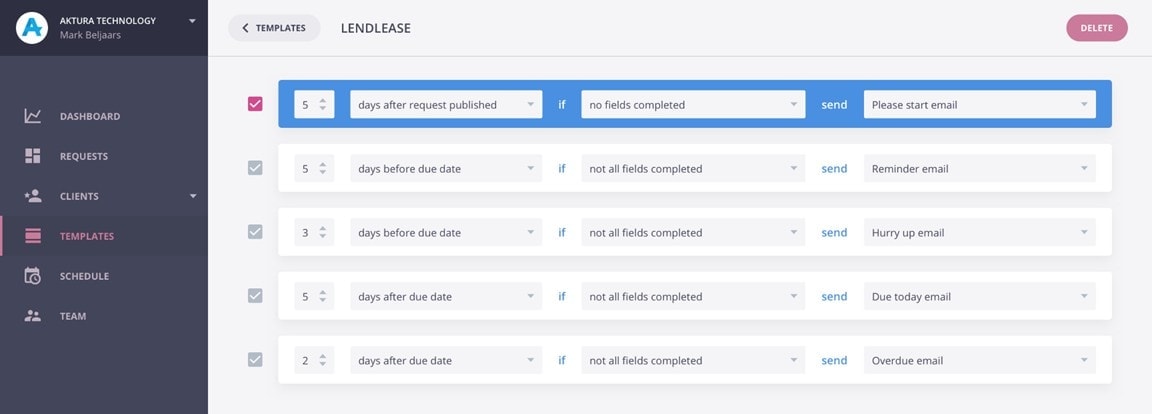
Content Snare has a built-in follow-up sequence. You can customize every email and include project info, client name, and more.
Emails are triggered relative to when you sent the content request, or the due date. You can also create different sequences for different clients.
But there is more.
As one of the best content gathering tools, Content Snare gives you dozens of ready-made templates to get that much-needed website content. For instance, we have a special template for a starter website:

There’s also a full-scale website design questionnaire template:

Each of these templates allows you to collect content a lot faster than ever before, especially compared to email communication or traditional online form tools like Google Docs.
With years of experience in the web space, it’s probably very easy for you to visualize your client’s website, even very early in design. It’s also easy to forget that clients often don’t have this ability.
That’s why when you request information from clients, it comes back in formats that make no sense for a website. They don’t know that they need a headline that’s 6-12 words, or how that “background image” will work on the final website.
It’s easy to get them on the same page though. Just show them wireframes.
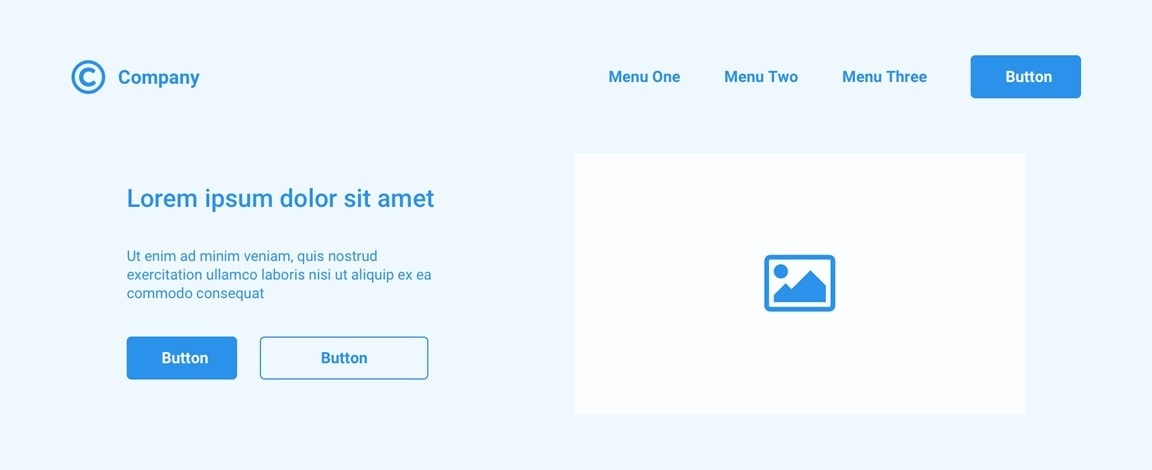
Even if you don’t have a wireframe step as part of your process, you can use templates that represent common website sections. Some examples might be:
The idea being that you create these once, and re-use them across all future clients where you can. When you include wireframe when collecting content from clients, it makes it easy for them to build a picture of what the final website will look like.
That helps them write appropriate content.
There are many wireframe tools out there that can be modified and adapted for your process.
Going one step further, you can label each component of the wireframe so your client can see the individual pieces of content and images to provide.
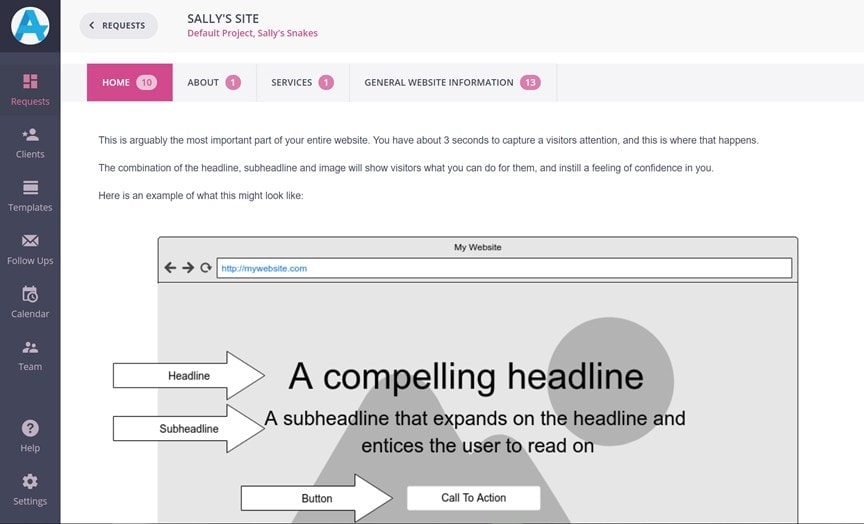
In the wireframe example above you’ll see that the headline, subhead and button have been labeled. Below this you could include text fields that correspond to each component.
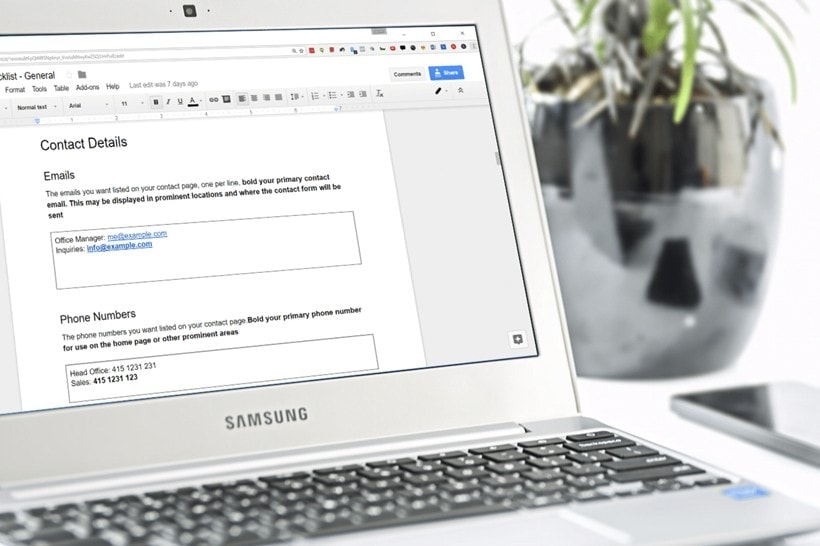
If you are using Google Docs or similar, you can create structure in documents by including a 1x1 table, that looks like a box for clients to type into. Check out the example below. We have some starter client website content collection documents here.
The final piece of the content puzzle, and making it as easy as possible for your clients, is guiding them through the content gathering process.
That can take a few forms:
If you’ve ever sat down to write some content, like a blog post, you’ll be familiar with the “blank screen problem.” That is when you sit there staring at a blank screen and have no idea where to start.
Adding wireframes and blocks of content for your clients to fill out is a great first step to fix this. Adding guidance and instructions takes that to the next level.
There are several ways you can guide your clients, so we’ll discuss them below.
Creating personalized videos for clients is now super easy with tools like Loom.

It’s a Chrome extension that you click and can start recording in a few seconds. When you’re done, it instantly gives you a link that you can paste into whatever document or tool you are using to gather content.
Use video to guide your clients through the document and even show them examples of websites that might help them. Not only does it make it easy for them, but personalized video does wonders for client relationships.
How often do you get content back only to realise that it is so poorly written that you can’t use it on a live website? Like when the content is “all about them” instead of focussing on how they help their clients.
Providing your clients with instructions and guidance goes a long way to improve this.
The simplest way to do this is to provide some simple instructions in the content request, and linking out to more lengthy guides if they need more info.
Take a look at the example below, requesting content for a headline.
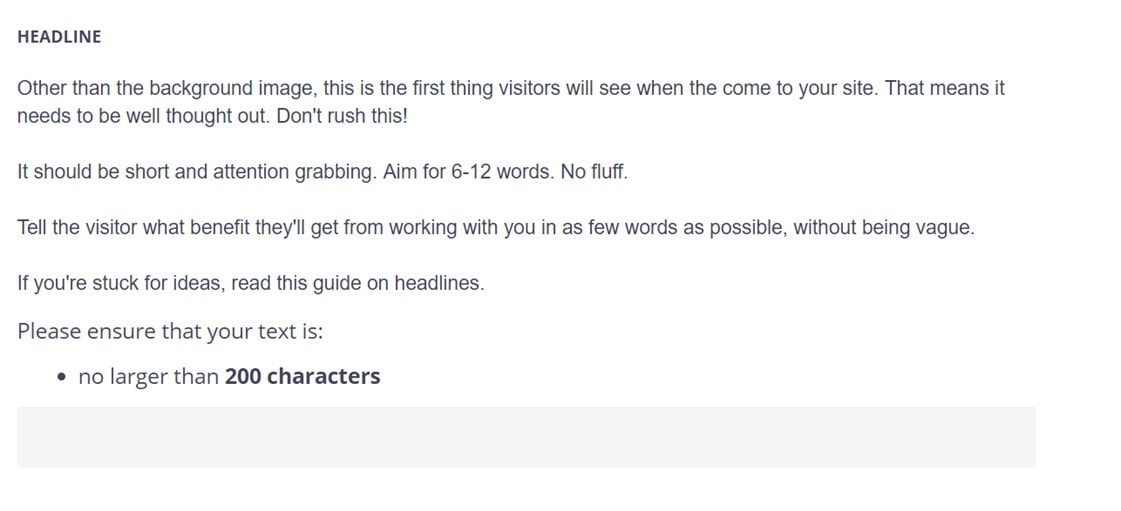
There are a few things going on here.
You can follow the same process with background images, about pages, contact pages and basically anything you find on a typical website.
The best part is you only have to do this once, and many of the sections can be re-used for future clients. Even if you have to personalize it for clients, a good set of templates gets you 80% of the way there.
Content Snare is a stress-free way to collect website content. You’ll have all your client content in one place, and you’ll never have to send a reminder again because our platform does it for you.
If you’re extremely busy, it can be hard to find the time to set up a content collection process like we’ve discussed here. But by spending a bit of time now, you stand to save tons of time on every project in the future.
By making it easy for your clients to provide content, and with a little guidance, you can gather meaningful content in a fraction of the time it usually takes.
In Content Snare, we’ve tried to make it as easy as possible by including wireframes, templates, copywriting guides and reminder emails. That way, most of the set up time is taken away. That said, we still recommend modifying templates and emails to fit your process and language.
To try Content Snare for your website projects or to receive files from clients, click here to get a free trial account.
Here's a content workflow template to use once you have collected web content from your client.
And here's an amazing video from Josh Hall that goes through a lot of the above:

James is the co-founder of Content Snare - a software platform that helps professionals collect content & files from clients.
Once an automation engineer, his new priority is to help business owners regain their lives, be more productive and get more done in less time.


Thank you so much for creating this tool! Great Job!