


Law firms have a lot on their plates — they need to navigate complex legal frameworks and solve unique cases while nurturing client relationships.
Although it’s essential for your business to keep clients satisfied and informed, you probably don’t want to burn too much time on phone calls and endless meetings. That’s why you need a client portal for your firm.
In this post, we’ll analyze the key features of law firm client portals and show you some of our favorite tools. Let’s take a look!
Note: Just looking for a quick overview? Go straight to our client portal software comparison table.

A law firm client portal is a secure online platform that helps you communicate with clients and share documents in a centralized system.
Related: Comparing the best software for law firms
Most client portals are cloud-based, enabling legal advisers to communicate with their clients without wasting time on in-person meetings or extensive phone calls. But that’s just one benefit of using a client portal. Here are a few other advantages:

The best client portal software will give you a whole range of features specifically tailored to the needs of modern law firms. Secure document sharing is the starting point as you’ll need advanced safety protocols to protect sensitive files and information.
For example, Content Snare uses multiple security layers to safeguard law firms and their clients. However, the right client portal must also provide these features:
You can search for other tools with extra features that suit your law firm in particular, but the ones we mentioned above are a must for every client portal software.
In compiling this list, we assessed legal client portals based on data security certifications, ease of client intake, practice management integrations, and attorney/client feedback from platforms like G2 and Capterra. We also considered pricing transparency and adoption across small, mid-size, and large law firms.
With that said, let's take a look at our top 5 list.
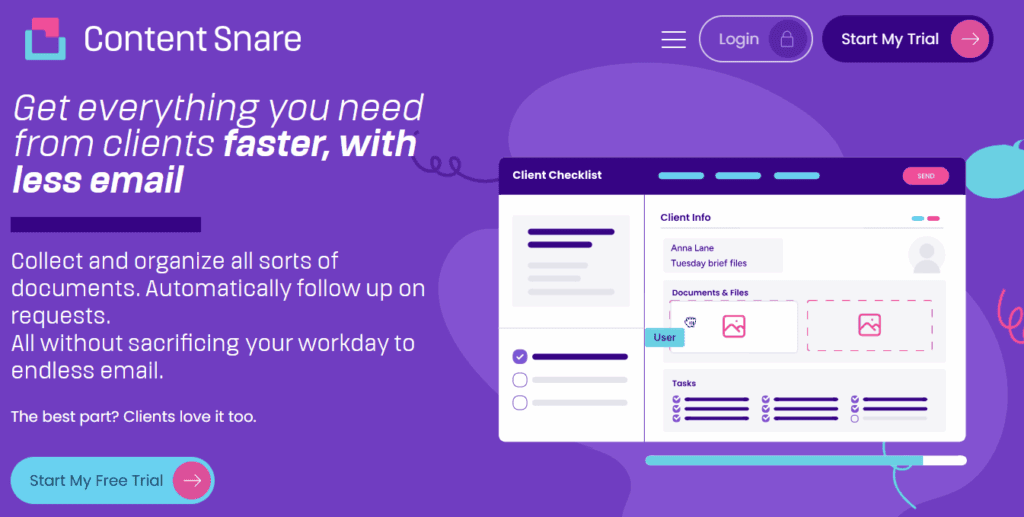
Content Snare makes traditional file and information collection a lot simpler thanks to its ready-made templates and automation abilities. Instead of chasing clients for documents using several communication tools, you can do everything right inside Content Snare.
Day One Advisory, a consulting firm, reported:
Our clients love it because they know exactly what they need to provide. They can track what they’ve done and what they haven’t done. They can come to it and revisit it rather than having a draft email sitting there.
This client portal features a built-in law firm client intake form that you can use as-is for onboarding purposes. Alternatively, you can build a form from scratch or edit the template to make it more suitable for your specific cases:

Automated reminders are the second benefit of using Content Snare. The system has a default notification schedule with reminders that gently nudge your clients to fill out your requests. Of course, another option is to create your own schedule that better suits your communication preferences.
These and many other functionalities are the reason why so many law firms use Content Snare to quickly capture case-related information and improve the overall client experience. Overall, law firms using Content Snare cut onboarding time nearly in half and report a 71% reduction in time spent gathering client documents.
The only real drawback of Content Snare is that it’s not specifically designed for legal professionals. However, it doesn’t change the fact that law firms (and businesses across a range of other industries) successfully use it to improve client collaboration.
Related: How Liston Newton Advisory Achieved a 50% Efficiency Boost with Content Snare
The basic Content Snare plan for up to 2 users starts at $29 per month (billed annually). Other plans are Plus ($59), Pro (499), and Custom (tailored for larger organizations).
Content Snare also gives users a two-week trial without credit card information required.
With our intuitive form-builder and templates for law firms, it’s never been easier to create powerful data-gathering forms and organize your case data.
Work smarter and improve your client experience with Content Snare.
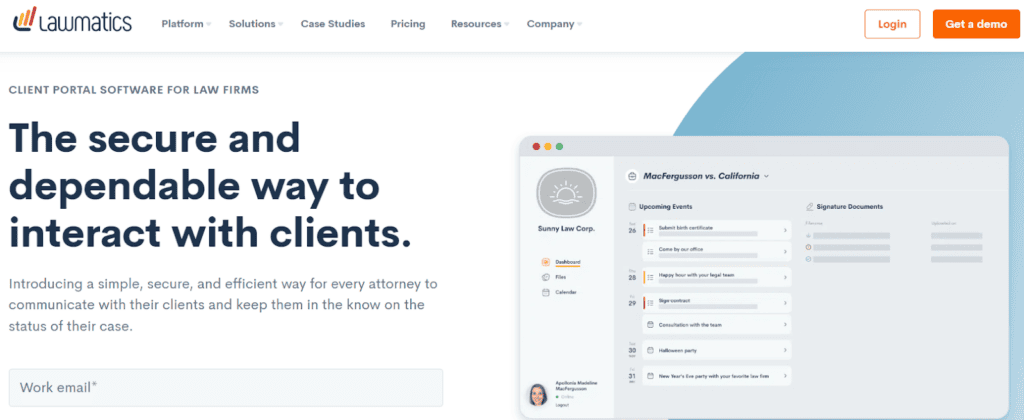
Lawmatics is a client engagement and intake automation platform designed specifically for law firms. It helps legal professionals with client communication by automating case-related workflows and providing tools for lead management and tracking.
Your clients can get unique Lawmatics login credentials to access all files, messages, calendar notifications, and other information anytime they want.
A steep learning curve is the main drawback of Lawmatics. Some user reviews say that the platform is great, but add that “it can get really complicated and it does take a lot of time to program.”
Only available as a custom quote — Lawmatics creates tailored offers based on your individual needs, and there is no free trial.

Clio is much more than client portal software. It’s a comprehensive cloud-based practice management software for law firms with features such as document management, time tracking, billing, and client communication.
Clio provides legal professionals with all kinds of collaboration tools, but we’ll point out mobile document scanning and uploading. This helps your clients deliver files quickly without unnecessary hassle.
Many users complain about Clio’s file organization features and document indexing. This reportedly leads to “lots of duplicate documents” and unnecessary downloads because you “cannot see original emails unless downloaded.”
Clio starts at $39 per user monthly (billed annually), but it can go all the way to $129 per user. It offers a 7-day free trial.

Rally keeps all of your client-related information in a single dashboard. That includes details such as meeting minutes, documents, and messages. It also lets you create client-specific form templates with custom branding.
Rally offers a pretty decent combination of features, so you can use it for everything from scheduling and invoicing to eSignatures and automatic data population.
There aren’t too many Rally user reviews out there, but some of them mention a lack of important features and subpar customer support.
From our perspective, this platform could be a bit more user-friendly and intuitive. It’s also quite expensive compared to other client portals.
The Lite package costs $99 a month, but the actual client portal is available only with Rally Essential ($399) and beyond. It doesn’t offer a free trial.
Case Status is client engagement software designed specifically for lawyers. But here’s what makes Case Status truly unique — it helps attorneys provide real-time case updates to clients via a user-friendly mobile app.
As a mobile client portal, Case Status is one of the best options for legal professionals who frequently communicate with many clients. This app lets your clients text you and check the status of their cases on the go, ensuring real-time updates and collaboration.
Some clients find it slightly inconvenient to track cases on a small smartphone screen. On the other hand, many attorneys who use Case Status feel like clients expect them to be available for messaging around the clock.
Only available as a custom quote — Case Status creates tailored offers based on your individual needs, and there is no free trial.
| TOOL | KEY BENEFIT | MAIN DRAWBACK | PRICE | FREE TRIAL |
| Content Snare | Customizable law firm client intake form, automated reminders | Not designed for law firms in particular | Starts at $29 per month | Yes |
| Lawmatics | User-friendly for both lawyers and their clients | A steep learning curve | Available upon request | No |
| Clio | A much broader toolkit for law firms | Subpar file management and indexing | Starts at $39 per user/month | Yes |
| Rally | A well-rounded set of features | Pretty expensive compared to other tools | Starts at $99 per month | No |
| Case Status | It’s a mobile-first portal | Forces lawyers to be available 24/7 | Available upon request | No |
Law firms can drastically improve client experience with the right collaboration portal. We showed you several options in this post, each with unique characteristics for different types of organizations.
Just in case you feel overwhelmed by so many options, we encourage you to start with Content Snare. Not only is it the most user-friendly platform on the list but also the only client portal with a 14-day free trial. No credit card info required, no strings attached.
With our intuitive form-builder and templates for law firms, it’s never been easier to create powerful data-gathering forms and organize your case data.
Work smarter and improve your client experience with Content Snare.
Leading portals such as Content Snare use bank-grade encryption, ISO 27001 certification, and permission-based access to ensure client confidentiality. Many also integrate with compliance frameworks such as HIPAA or GDPR.
Intake forms, secure document sharing, e-signatures, role-based permissions, and practice management integrations are considered essential for law firms.
For small firms or solo attorneys, Content Snare and Case Status are popular choices because they simplify onboarding and reduce client phone calls.

Dražen Vujović is a journalist and content writer. More importantly, he is a father of two and a long-distance runner.


