


Doing your job is easy — managing the mountain of paperwork that comes with it is the hard part. From accountants to lawyers to real estate agents, it feels like most professionals are drowning in the sea of contracts, invoices, financial statements, and reports.
But that’ll change quickly if you start using document automation software. These tools take the heavy lifting out of document management to eliminate unnecessary paperwork.
We tested these tools based on template flexibility, integrations, workflow automation, and user reviews on platforms like G2, Capterra, and GetApp.
Let’s check out our top picks!
2. Crove: Best for mobile-friendly forms and docs
3. Templafy: Best for enterprise-level document management
4. PandaDoc: Best for sales teams
5. Conga Composer: Best for Salesforce integration

Document automation means using a digital tool to create, manage, and store documents with little or no manual effort. The idea is to automate the creation of repetitive documents with predefined templates and logic-based data workflows.
In our experience working with more than 1,600 businesses worldwide, companies that automate document creation report up to 70% time savings, especially across departments like legal, finance, and HR. Automated document generation helps businesses in several ways:
Another thing worth knowing is that document automation has practical applications across many industries and functions. The table below displays only a handful of options:
| Industry | Documents to be generated automatically | Feature priority |
| Legal | Contracts, wills, legal briefs | Version control, eSignatures |
| Finance | Invoices, financial statements, reports, tax documents | Integrations (Xero, QuickBooks) |
| Real estate | Property listings, contracts, client correspondence | Mobile access, client workflows |
| Human resources | Offer letters, employment contracts, onboarding documents, exit interview forms | Pre-filled templates, compliance |
| Healthcare | Patient records, billing documents, compliance reports | Secure forms, audit trails |
Feature analysis is key to choosing the right document automation tool. Regardless of your industry, it’s important to pick a platform that comes with all of these features:
Effective template management is the backbone of any document automation software. It must offer a library of pre-built templates covering the most common document types. More importantly, the right tool will let you edit templates or build new ones from scratch.
Frictionless integration with your existing systems is vital for efficient document automation. Integrations enable you to import data from external sources — spreadsheets, databases, CRM systems, and other software applications. For instance, accountants will search for a tool that integrates with QuickBooks, Xero, and FreshBooks.
Employees often work together on the same file, which requires collaboration features with real-time updates. Some of these options are comments, notes, annotations, and granular access controls.
This feature goes hand in hand with the previous one. If you want to keep track of all changes in your documents, find a tool with detailed version history and audit trails.
Another important detail is to find a document automation system that allows you to design and customize workflows to match your business processes. This also includes the ability to set up conditional logic to automatically trigger specific actions based on predefined conditions.

“Easy to use. Cheaper than alternatives and works like magic with Zapier.”
Docupilot stands out as the best overall document automation software due to its comprehensive feature set and ease of use. It has a simple drag-and-drop template editor paired with an extensive library of pre-built templates.
As such, Docupilot is accessible even to users with minimal tech expertise.
The system integrates with dozens of third-party apps in different domains: eCommerce (Shopify), legal (Clio), customer relationship management (Zoho CRM), and so on. It’s worth adding that many user reviews describe Docupilot’s customer support as the best in the business, claiming that they “genuinely want to help and provide a great service.”

“This is one of those apps that make your company and team look better, and positively influence client's perception and experience”
Crove focuses on delivering a seamless mobile experience. This platform keeps forms and documents fully optimized for smartphones and tablets, making it easy for users to create, edit, and access their content on the go.
We also like how Crove combines eSignatures with an audit trail to make processes efficient and transparent. This guarantees that every signed document is legally binding and includes a detailed record of all interactions.
In addition, Corve lets you go beyond document templates. Custom HTML allows you to design highly tailored forms and documents, so you can format content to meet specific branding requirements.

“An easy way of creating documents and presentations that are aligned across the organization. Great to preserve brand identity.”
Templafy is the go-to choice for enterprise-level document management due to its powerful and scalable feature set. This system is made to meet the complex needs of large organizations — it offers advanced document automation capabilities that can help your business with branding consistency and legal compliance.
Templafy also offers an AI-powered assistant to better streamline your workflow and data synchronization. For instance, you can use its GenAI to automate the creation of all on-brand documents across the entire organization.
With its emphasis on scalability and security, Templafy is a top-tier solution for enterprises seeking to enhance document efficiency while maintaining organizational standards across diverse teams.

“Because of the content library, template functions and ease of use, we've been able to double the number of proposals we put out in the same timeframe before implementation.”
PandaDoc is an all-around tool, but it works best for sales teams eager to scale document workflows. This platform can help you create, distribute, and manage proposals, contracts, and agreements so you can maximize efficiency throughout the sales cycle.
PandaDoc offers a massive portfolio of templates (1000+ ready-made options), but we prefer its content library because it allows users to save and reuse specific files or content blocks. You can do this quickly because PandaDocs features a document editor that makes it easy to create documents from scratch.
This document management software also features real-time collaboration tools and eSignature capabilities. The bottom line is that PandaDoc helps you automate document generation, so you can close deals faster and maintain a high level of client engagement.

“It's a game changer when it comes to quickly organizing customer-ready reports and decks in SFDC. Between our Sales and CSM team it saves us hours each month.”
Conga Composer is the most advanced platform for automating document generation directly within the Salesforce ecosystem. Conga Composer allows for the creation of sophisticated documents, such as contracts, quotes, presentations, and reports, by pulling data from Salesforce records.
Conga Composer has a practical Quick Starts option — instead of building your own templates, you can pick a ready-made solution with predefined queries and behavior settings such as renewal dates. The platform is also famous for automated data inputs. Conga Composer will pre-populate information on your behalf, and it will do so accurately.
In addition, the system automatically sends notifications as soon as your client views the document. That way, you can properly plan follow-up activities.
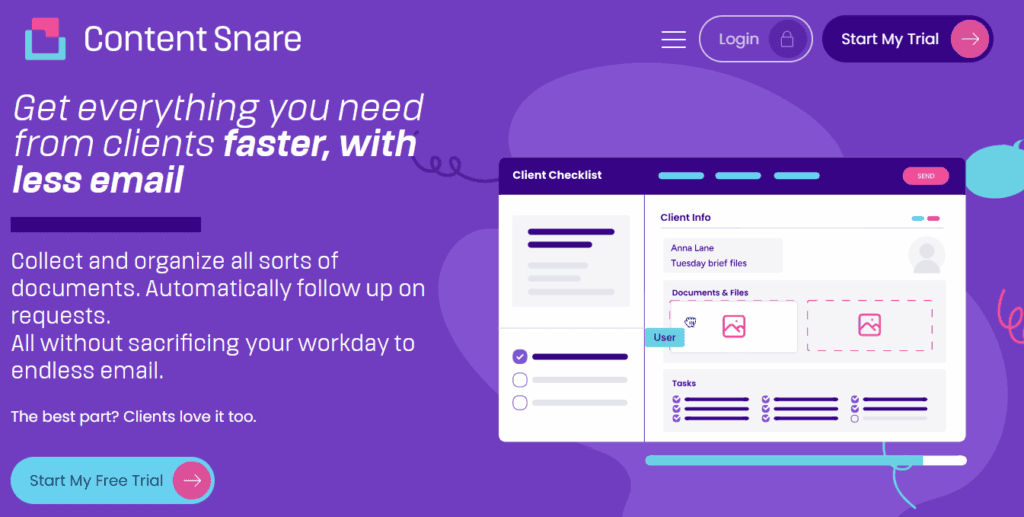
While tools like Docupilot or PandaDoc are great at automating the generation of documents, they don’t solve one of the biggest bottlenecks in your workflow: gathering documents, data, and approvals from clients in a secure, structured way.
That’s where Content Snare fits in.
It’s the industry’s most secure document collection platform, designed to streamline information intake across high-compliance sectors like accounting, legal, finance, and real estate. Our platform features a library with 100+ form templates for client-oriented businesses. Our secure client portal provides a range of powerful features:
On average, Content Snare users spend 71% less time gathering documents and information from clients. They also spend less money in the process — some customers even reported savings of up to $6,210 per month.
| For more info about Content Snare benefits, check out this results survey report. |
How does Content Snare do all that?
It’s a clever mix of user-centric features that make document collection as simple as it gets.
For instance, you can pre-fill some fields if you already know your client’s answers. Content Snare automatically reminds your clients to fill out the form based on the predefined notification schedule. The system also enables in-form conversations, so you can support your clients if they get stuck.
Many other features are worth mentioning, but we invite you to test them yourself - just sign up for our 14-day free trial.
Automation software like PandaDoc or Docupilot creates documents using templates and data logic. Document collection tools and client portals like Content Snare collect the required content and files from clients securely before document generation begins.
Legal, finance, HR, and sales teams are top adopters, but any client-facing business should use document automation platforms. For example, accountants use it for engagement letters, while HR teams automate onboarding packets.
Most tools now provide some level of data protection, but advanced solutions like Content Snare are ISO 27001-certified and use encrypted client portals to ensure document security and compliance.

Dražen Vujović is a journalist and content writer. More importantly, he is a father of two and a long-distance runner.


