


You don’t have to be a project management veteran to know ClickUp. It’s a versatile and feature-rich platform that simplifies team collaboration and client management.
Many businesses use this project management software to boost productivity while improving client experiences, mainly due to ClickUp’s robust set of client management features. If you’re still considering whether to give it a try, read on to learn about the key features of ClickUp client dashboards.
But before we get into that, you should know that ClickUp isn’t a dedicated client portal. Depending on what you need, you may need to use a separate portal for things like gathering client information. That’s why we’ll also discuss a practical alternative and show you a tip on how to streamline your projects and data collection processes.
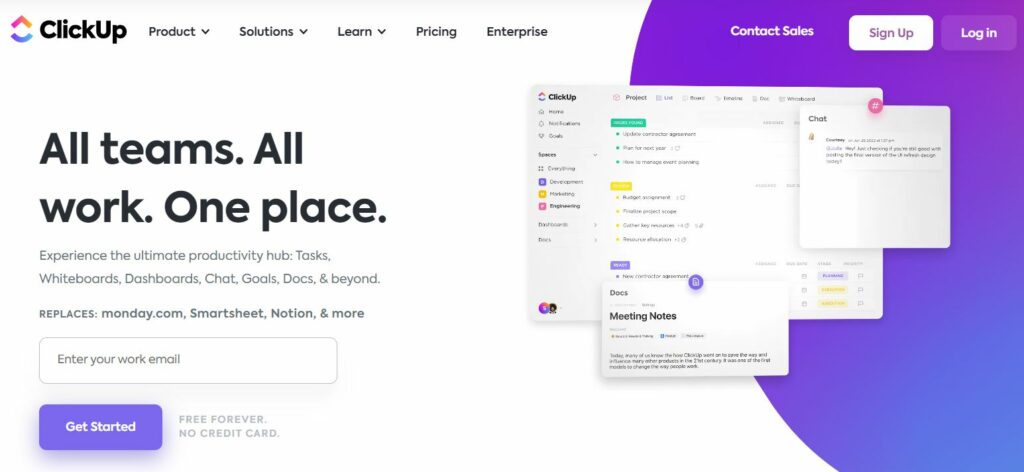
When we say ClickUp is feature-rich, it essentially means the tool can help you manage all kinds of business procedures within a single client dashboard. Here are some of its core functions:
ClickUp provides a centralized hub to store all client-related information. With this project management software, you can eliminate scattered documents or back-and-forth emails. You can capture important information using customizable forms:
ClickUp also introduces client portals (also known as client dashboards) that serve as dedicated spaces for clients to access project updates. Thanks to its customizable permissions, you can control the information users can view.
A ClickUp client dashboard offers an array of task and project management features, so you can successfully handle client projects from inception to completion. Here’s just a glimpse of what’s available:
In addition, there are customizable task statuses that enable seamless prioritization of work.
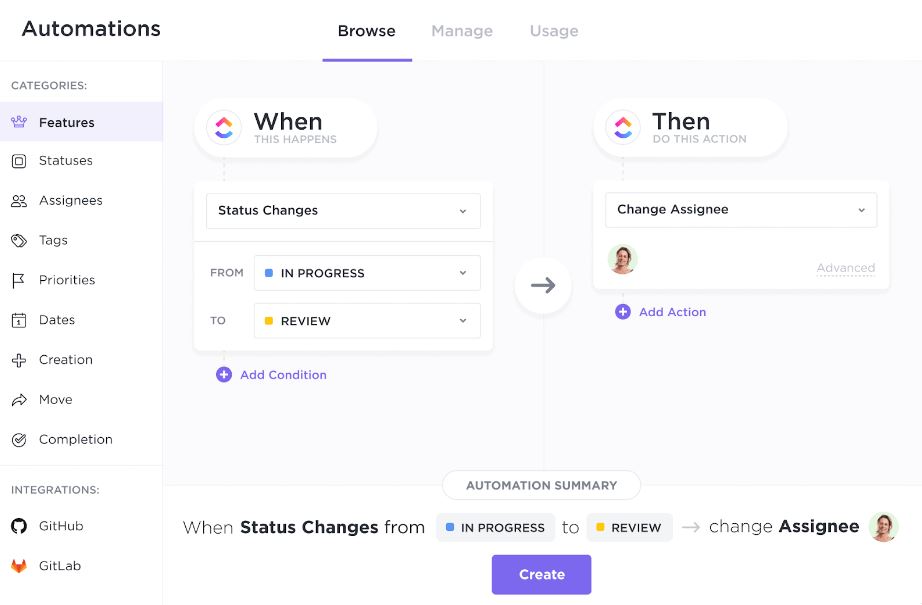
There are over a hundred automation features available in ClickUp, and all of these options further enhance its project management capabilities. For instance, users can create recurring tasks, set reminders, trigger notifications, or streamline repetitive workflows.
Client management depends on streamlined communication channels, so ClickUp provides many options to foster collaboration. You can engage in real-time discussions within tasks, attach files or documents, and share updates with clients and team members. The tool also integrates with popular communication tools such as Slack and Microsoft Teams.
ClickUp gives you a whole lot of extra options through widgets. You can use these add-ons for different purposes:
These and many other options make the ClickUp dashboard extremely customizable, which means you can go the extra mile for your clients.
ClickUp integrates with time-tracking tools like Toggl and provides built-in time-tracking capabilities. That way, you can monitor and record time spent on client-related tasks. In addition, the platform’s reporting feature generates insightful analytics — it covers everything from team performance to project progress.
The main purpose of client portals is to ensure effortless cooperation between organizations and their clients. ClickUp gives you many options for collaboration, so you can create dedicated projects and folders for each client. Here are just a few notable options:
You can also set permissions to share folders/files with certain teams or individuals.

However, one big issue with using a project management system like ClickUp as a client portal is that it's often too complicated. As a matter of fact, most clients don't like having to learn a new system, and that's why it's important to use a simpler system for gathering information.

ClickUp is an excellent project management system, but it can do better in terms of file and information gathering. Using a dedicated data collection portal proved to be a great solution for supporting ClickUp.
And that’s how we get to Content Snare.
In order to actually begin working with a new client, you have to collect a fair amount of data well beforehand. Content Snare is a client portal that helps you quickly get all the information you need before starting a new project in ClickUp. The platform is perfect for accounting firms, marketing agencies, business coaching, and all other service-oriented companies.
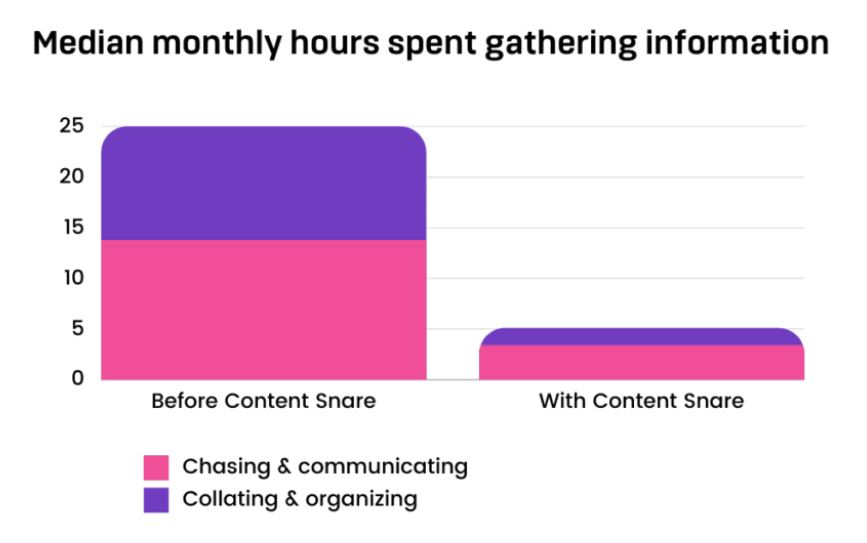
Our platform will help you collect client details in record time, but how do we know that? A survey revealed that companies using Content Snare now spend over 70% less time gathering information than before.
Our tool turns data gathering into a simple and semi-automated process. Here’s how it works:
What’s best, you can get all of that client-related information into ClickUp via Zapier. As soon as your clients fill out the Content Snare form, you can create tasks in ClickUp. That way, all projects remain well-organized, so everyone can stay on the same page.
With Content Snare, data collection becomes a straightforward process for both you and your clients. The platform is ideal for building a comprehensive project intake form and avoiding possible bottlenecks once you start working in ClickUp.
Remove chasing clients for missing documents from your to-do list. Use Content Snare to free up your time, so you can focus on getting your job done.
You can connect Content Snare to ClickUp using Zapier or Make. Once a client submits their information, tasks are automatically created or updated in ClickUp to keep projects organized.
The integration is especially effective for accounting firms, digital agencies, and business consultants who manage multiple clients and projects simultaneously.

Dražen Vujović is a journalist and content writer. More importantly, he is a father of two and a long-distance runner.


