


Most businesses know Asana as a project management platform, but it’s also one of the best client collaboration tools. You can use it to track project progress because the system provides a comprehensive suite of client communication features.
Asana has all the key features to help you streamline workflows, enhance collaboration, and ultimately drive success. Bear in mind that Asana is not a dedicated client portal, so you may find that it doesn’t fit all of your needs in that sense.
In this blog post, we’ll explore some of its critical functions, but we’ll also show you how to speed up data collection and the overall project development process using Content Snare.
Let’s dive in!
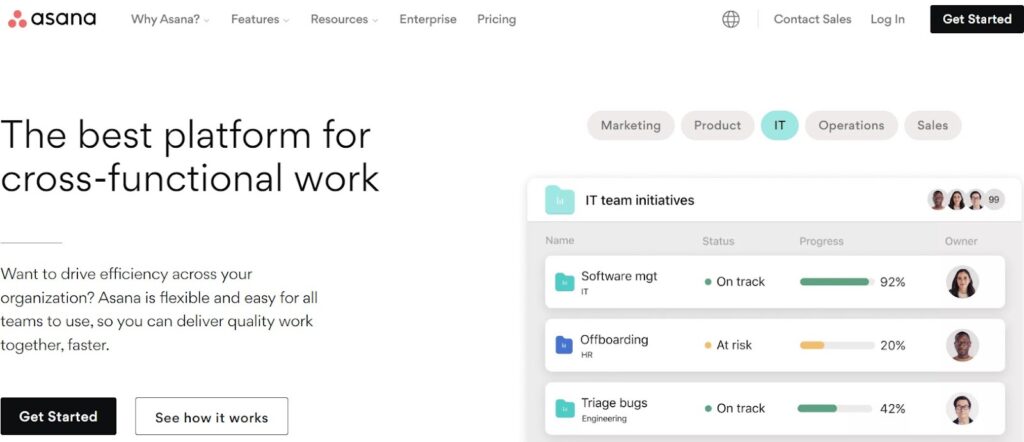
Asana is a project management tool that services nearly 140 thousand paid clients, while millions of people and organizations use its free version. Despite not being a client portal per se, it’s a comprehensive platform that provides users with all the tools they need to manage client projects:

Asana gives teams a centralized location to communicate, share files, post comments, tag colleagues, and collaborate in real time. As a genuine all-in-one platform, Asana is much more than a project management tool — many organizations use it as client portal software.
Asana is an all-encompassing task management system, which means you can count on dozens (if not hundreds) of different features. However, we’ll focus on core functions and collaboration tools that make it easier to manage projects.
Asana is primarily a project management tool with many options for managing tasks. You can create to-do lists, assign tasks to team members, set due dates, and track progress on the go.
It allows for the organization of projects into multiple levels of hierarchy, providing clarity and structure to complex workflows. Asana also offers a convenient calendar view that helps users keep an eye on all tasks and see when work is due.

Asana facilitates collaboration among team members with special features for discussions, comments, and file sharing within tasks or projects. This allows for real-time updates and notifications, keeping everyone informed and connected.
Milestone visualization is also available. It’s a cool feature if you want to keep clients updated, as they can get a clear overview of major checkpoints in their projects.
Another benefit is that you can design workflows that match the specific needs of different teams and/or projects. Asana does it through various functionalities:
These are part of Asana’s workflow builder, a relatively new feature that helps organizations automate internal procedures for simpler coordination.

Asana integrates with various third-party apps and services. For example, It offers integrations with popular applications like Slack, Google Drive, and Microsoft Teams. But the list of integrations goes on, containing more than a hundred highly popular tools. That way, you can seamlessly share data and collaboration across platforms.
Asana provides built-in analytics and reporting features to track project performance. You can generate visual reports, view progress charts, and gain insights into resource allocation, task completion rates, and other key metrics.
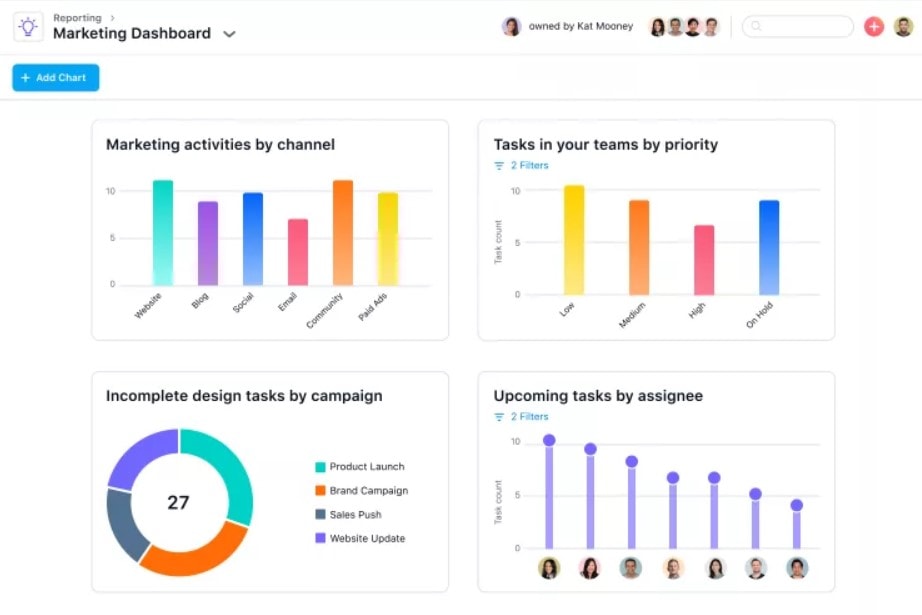
This feature is particularly potent if you pair Asana with specialized reporting systems like Tableau or Power BI. In this case, visualized reports will help you assess the overall productivity of your team and pinpoint possible bottlenecks.
Asana offers a range of project management features that streamline team collaboration. It’s undoubtedly an efficient tool for internal project management, but it still lacks the necessary features to act as a genuine client portal.
Here’s the deal — Asana is overly complicated when you use it for communication and data gathering, which can be detrimental to client relationships. If you’re running a small team or working with individual clients, the sheer scope of functions might scare them off.
One of the largest issues is that clients simply do not like having to learn a new system. And, as you likely already know, they’ll often forget their account details and give up on ever even logging in.
In addition, the system lacks advanced data collection features that drastically speed up the process. That’s why so many organizations opt for a different client portal to supplement Asana.

As noted, Asana is by all means a powerful project management system, but it was never designed as a secure client document collection tool. During our analysis, teams often reported friction when using Asana for pre-project data gathering, especially when clients had to upload multiple files or fill in detailed questionnaires.
This is where Content Snare comes in.
Content Snare is a dedicated client portal built for secure file requests, document uploads, and automated reminders. It’s ISO 27001 certified, uses military-grade encryption, and helps professionals gather the right files from clients up to 71% faster, according to our results survey. What's best, you can quickly connect Content Snare with Asana via Zapier to automatically gather relevant information from clients before the project kicks off.

Now, what can you do with Content Snare to prepare for your next big project? Here are just a few options:
You can do these and many other things thanks to Content Snare’s advanced features and customizable templates. Details like automated reminders or pre-filling only make the data collection process faster, so you can jump into the next project fully prepared.
Gather data from new clients using a centralized information hub. Content Snare will help you get all the client-related info you need, so you can prepare for new projects well in advance.
Not exactly. While Asana offers strong collaboration tools, it isn’t built for client-facing document collection or onboarding. Clients often find it confusing to navigate. Tools like Content Snare bridge this gap by offering a dedicated, branded portal for file collection and form submissions.
Through Zapier or Make, Content Snare can automatically send client responses and documents into your Asana projects. This automation keeps project managers organized without manual uploads or chasing clients for missing files.
Yes. Content Snare uses ISO 27001-certified infrastructure and military-grade encryption to ensure files and client data remain secure. It’s trusted by over 1,600 businesses worldwide across accounting, legal, and marketing industries.

Dražen Vujović is a journalist and content writer. More importantly, he is a father of two and a long-distance runner.


