


Having a reliable, secure, and user-friendly way to exchange files is a must for modern client-facing businesses. But with so many options to choose from, it can be tricky to know where to start. Fear not, we’ve got you covered.
This guide is based on our experience working with over 1,600 businesses across industries like accounting, law, and digital marketing. We evaluated dozens of file-sharing tools for security, ease of use, client experience, and automation. Our insights include real-world feedback, expert quotes, and performance data to help you choose the right solution.
In this article, we’ll discuss:
Ready? Let’s dive in.

Many industries rely on digital file-sharing to gather and store the information and resources they need to function. These files are often confidential, sensitive, or mission-critical. Document upload portals provide a safe and secure way to share digital files, allowing you to:
In industries like accounting and legal, where compliance in document gathering is critical, these portals ensure regulatory standards like ISO 27001 and GDPR are met while offering clients a seamless, professional experience.
Before the era of cloud storage, gathering client documents was a much slower, riskier process. Files had to be emailed, printed and posted, or copied to physical storage devices and handed over. Since the advent of the cloud, however, a plethora of cloud storage tools have hit the market, including:
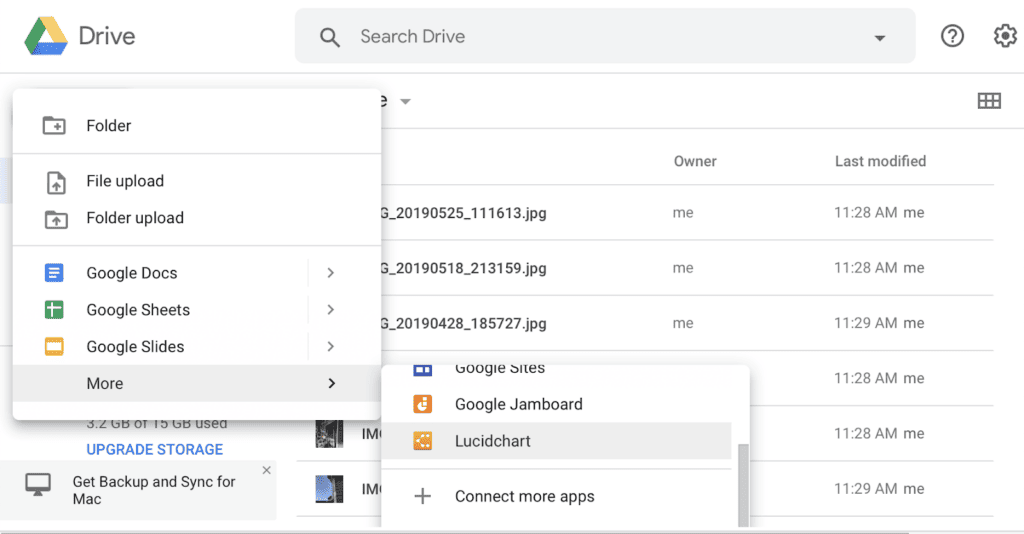
(Source)
These tools enable businesses to upload, store, and share documents with ease. This functionality alone makes them far superior and more secure than sharing documents by email or Slack.
That said, generic cloud-storage tools offer limited functionality beyond actual file-sharing. There are limited or no options for:
What’s more, some file-sharing tools raise compatibility issues. If you work in an Apple-heavy environment, chances are you’ll go with iCloud. But what if your clients use Windows? Likewise, Google Drive and Microsoft OneDrive work better with their respective tools.
Then there’s the UX. Cloud-storage tools can be tricky for clients to get to grips with if they aren't used to using them. Case studies show that clients often stall or delay submissions when file-sharing tools are confusing or non-intuitive. On the other hand, a recent survey showed Content Snare reduces stalled projects by 67%, thanks to its step-by-step request guidance.
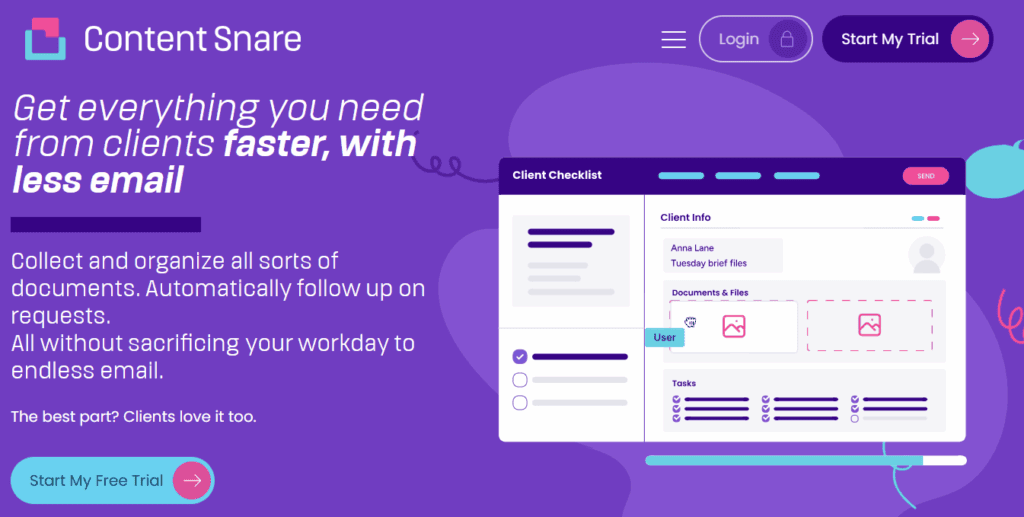
Like other file-sharing tools, Content Snare makes it easy to upload, share, and store files securely. But it doesn’t stop there. Content Snare offers a complete system for managing the process of gathering information, allowing you to:
Content Snare is trusted by over 1,600 businesses globally: from accounting firms and law practices to creative agencies. It's been featured by industry leaders like Xero, GoDaddy, WP Engine, and FutureFirm. As Northwest Accountancy put it:
Our accountants get a complete, finished set of information with all questions answered before it comes to them to do the tax return. That’s a big one for us.
Content Snare’s simple and intuitive UX makes life easier for your clients, guiding them through each step of the process. They can complete requests on any device — and with our auto-saving feature, they can pick up where they left off at any time.
Ready to give it a try?
Looking for a secure document portal? Look no further. Content Snare offers the rich features and outstanding UX you need to make document collection a breeze.
Yes, you can use email to send documents, but it comes with some serious limitations and risks. Here are some key drawbacks to consider:
Email comes with strict file-size limits. Gmail, for example, has a limit of 25 MB for attachments. There are ways around this issue. You can send documents in a zip file, or compress image files using free online tools, but it’s a bit of a hassle.
Real-time communication platforms like Slack, Discord, and Microsoft Teams have similar limitations. This makes them a reasonable choice for sending small one-off documents, but not large or multiple files.
By using a dedicated document upload portal, you can exchange sensitive documents quickly and securely. While most file-sharing tools have size limits, they are much higher than email. Dropbox, for example, has a limit of 2 TB for files uploaded via its app, or 50 GB for files uploaded via its website.

Despite the growing popularity of real-time chat apps, email is still the go-to method of communication for most businesses. In fact, the average employee receives a shocking 121 business-related emails per day.
If you’re using email as your primary tool for sending and receiving files, those documents can easily get lost in back-and-forth emails and ever-expanding inboxes. Using a document upload portal separates sensitive files from the clutter of everyday communications, making them easier to find and manage.
How secure is email? Well, when you consider that 94% of malware attacks originate from email, it’s clear that it’s a weak link in your business’s security. There are a few steps you can take to reduce the risk of email, including:
But all these require extra effort and cost on your part, only to make an imperfect system slightly better.
On the other hand, client portals such as Content Snare use military-grade encryption and are ISO 27001 certified, ensuring compliance with the highest information security standards without the manual hassle of encrypting every file.

When you receive an email containing an attachment to your personal address, only you can access it. To make it available to others, you either need to forward the email to specific people, or upload the attachment to the cloud.
In both cases, there’s an added step. If you forget to do either, your colleagues will have to chase you for access. With a secure portal, everyone has access to the same documents, making it easier to work as a team.

Any business can benefit from using a dedicated file-sharing tool. But in some industries, it’s a necessity due to the quantity and/or sensitivity of files that need collecting. Here are three examples.
Accounting professionals need all sorts of documents to manage their clients’ tax affairs. Whether it’s for client onboarding or end-of-year tax returns, they need a secure client portal to store and access documents.
From due diligence reports and corporate mergers to immigration cases, lawyers need to gather a lot of sensitive documents. Collecting all the information they need by email would be impossible, not to mention risky.
Whether they’re onboarding new clients or taking new requests, digital agencies need a hassle-free way to gather multiple documents. A document upload portal is the safest, easiest way to do this.
Looking for a secure document portal? Look no further. Content Snare offers the rich features and outstanding UX you need to make document collection a breeze.
It depends on your business requirements, but Content Snare proved to be one of the best tools for secure document collection because it offers ISO 27001 certification, military-grade encryption, and automation features designed for accounting, legal, and agency workflows.
Unlike generic cloud storage tools, Content Snare offers automated reminders, customizable forms, progress tracking, and a client-friendly interface tailored for professional use cases.

Nicholas Edwards is a content writer from the UK.


