


Another client on your doorstep? Way to go!
Welcoming new clients to your IT business is a pleasure booster, but the initial euphoria quickly settles when you realize that the real work is only just beginning. That’s because you need to lay a solid foundation from the start to build long-lasting relationships.
That's where an IT onboarding checklist comes into play. It’s a simple form to create, but it adds an important layer of finesse to your onboarding process.
In this article, we’ll talk about:
Let’s dive in!
Note: If you want to skip the first few sections and go straight to our IT onboarding checklist template, just click here.

IT onboarding is the process of integrating and setting up digital systems for new clients. The goal is to provide a seamless transition for clients as they begin using your products or services.
This means you’ll need to evaluate your client and their business goals, existing IT infrastructure, knowledge, and possible challenges. That’s how you can customize tech solutions in a way that fits your client's unique requirements.
IT onboarding for clients is all about providing external stakeholders with access to your services. On the other hand, IT onboarding employees means integrating new hires into your team. This means introducing new employees to their roles, access privileges, and responsibilities.
If you’re interested in employee onboarding, check out our IT onboarding form template.

You might think that creating an entire checklist is unnecessary, but bear with us. A well-structured IT onboarding checklist can help your company in more than one way.
You can (and should) develop a unique checklist that suits your specific services, but some checklist elements apply to most IT businesses. Let’s take a look.
The screenshots you’ll see below are from Content Snare’s library of online form templates. Make sure to check it out — there’s a 14-day free trial (no credit card required).

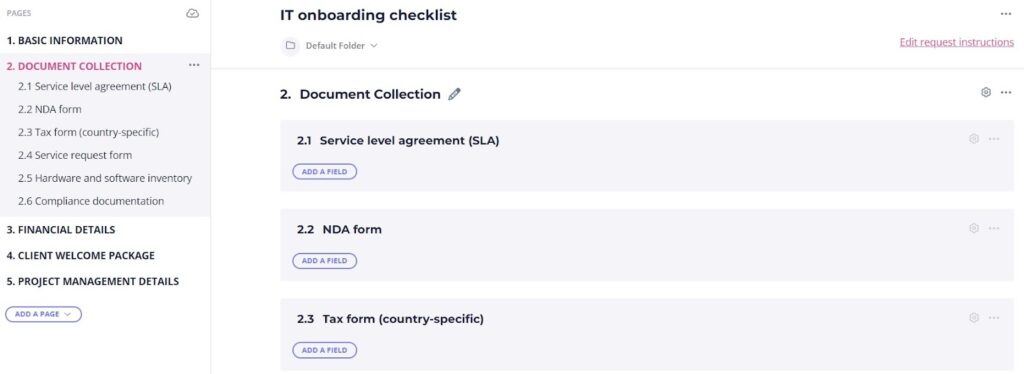


Though it may seem complicated at first, creating a checklist is easy if you use a good online form builder. In this section, we’ll breeze through some of our favorite solutions.

Yes, we are biased, but our tool definitely deserves a place on this list.
Content Snare is the simplest way to streamline your IT onboarding process thanks to a range of practical features. For instance, you can customize our ready-made templates to build your checklist or start from scratch to design a brand-new form.
Content Snare helps you gather information and files of up to 16 GB from your clients, all within a single platform. You can also start a conversation directly in the form (and forget about back-and-forth emails) to help clients provide accurate data or documents.
But there’s more.
Our tool offers many other functions, such as:
Tired of using outdated tools to gather key client information? It’s time to simplify your client onboarding process with Content Snare.
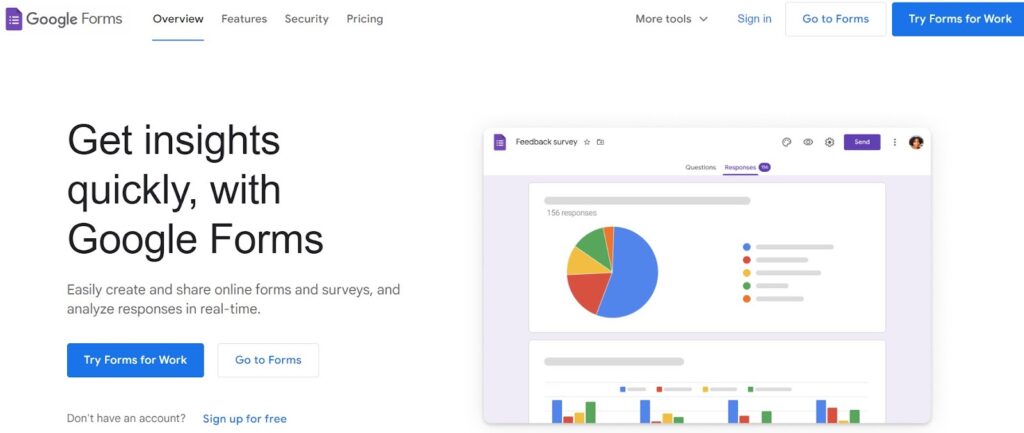
Simplicity is the name of the game when it comes to Google Forms. This platform takes intuitiveness to the next level with straightforward functions and its drag-and-drop builder. It’s also free for all, so you can build as many questionnaires or surveys as you want, no strings attached.
The only problem with Google Forms is that it lacks many features you’d expect from a professional form builder. Guess that’s the price of using a free tool, right?
Related: Can you save progress on Google Forms?

Inline Manual is a robust tool for client onboarding and user adoption. It helps you create step-by-step interactive walkthroughs that guide new clients through your platform or services. These walkthroughs can include multiple elements, including tooltips and pop-up hints.
The only genuine drawback of this tool is the price. The cheapest Inline Manual pricing plan starts at $158, which isn’t affordable for most small and mid-sized businesses.
Online form builders will help you make a checklist in minutes, but you must pay attention to details. Here are a few bonus tips that can improve your onboarding program.
Less is often more in IT onboarding, so you should stick to the basics. Some companies create a long list of tasks, documents, procedures, and requirements, but overwhelming your clients with too much information can be counterproductive.
Another tip is to give inputs and ask questions that are clear and straightforward. Avoid leading or confusing onboarding steps that will likely result in misunderstandings. Here’s an example:
The first question is vague and it leaves too much room for interpretation. On the other hand, the second question is straightforward because it focuses on a highly specific issue.
It’s important to refresh your checklist periodically to make sure that it remains effective and aligned with the best practices in your industry. Here are just a few details you should pay attention to:
Creating a checklist isn’t mandatory in IT onboarding, but it can be of great help when preparing for your next project. We showed you a lot of practical tips on how to create a checklist that will suit your business, but now it’s your turn to do some heavy lifting.

Dražen Vujović is a journalist and content writer. More importantly, he is a father of two and a long-distance runner.


