



When it comes to prototyping – whether it’s creating a simple wireframe without visuals and working links or a fully functional mockup that’s got it all – mastering the skill is extremely valuable to the UX design process. Mastering the skill of prototyping may seem like a waste of time – after all, it’s up to the client to make the final decision – but knowing how to deliver something to the client that requires as little corrections as possible saves valuable time during the final design and the correction process. Think of it as usability testing. To give you a better understanding, here’s our guide to prototype design and what the UX design process should look like.
A prototype is essentially an interactive mockup of your website. Although it may not have the details of a the final product, it gives you a great idea of the general flow, functionality, and user experience. It also includes a great visual representation of the product that only lacks animation or proper transitions.
Prototypes are used to present an accurate representation of what a finished product is going to look like without finalizing any details. It can be presented to the client so they can request changes before converting them to a final product.
To start the prototype process, it’s important to narrow down your requirements. Odds are you’ve had endless conversations with your client about the final product and have dozens of pages of requests between the two of you. So, how do you go about actually get started? Here’s a checklist to narrow it down:
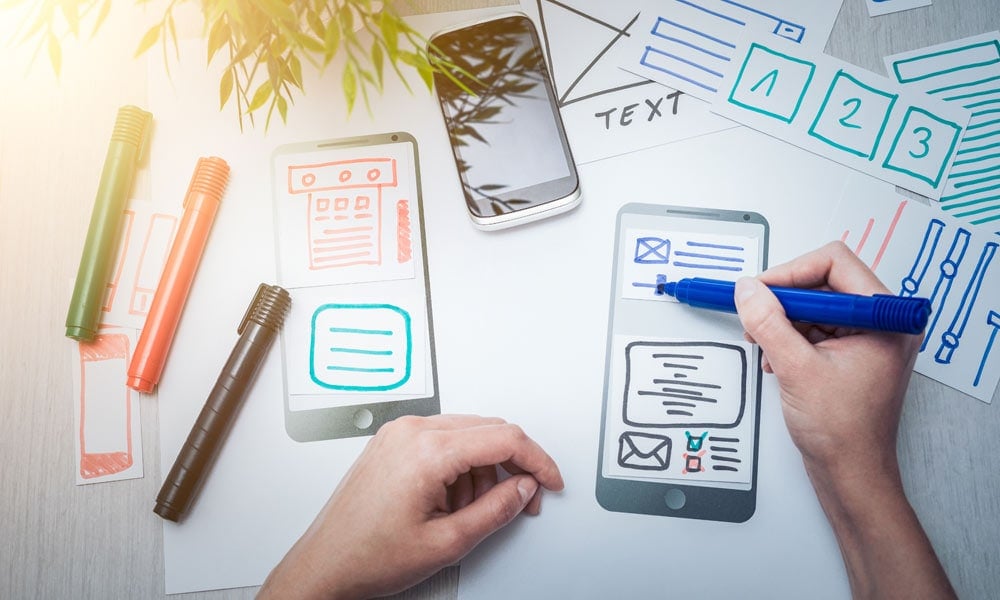
Before taking it to the screen, the next step in the process is to hand draw or sketch out your prototype. Obviously, this doesn’t have to be in great visual detail but paper prototypes give you a general sketch of the layout and structure and are a great way to get started. You can include as many visuals as you want but that’s not the overall point of the sketch. These aren’t functional prototypes - they’re meant to roughly map out the website’s terrain, highlighting what is possible and what isn’t.
You can draw your prototype using whichever physical medium you wish – whether that’s with pencil and paper, a chalkboard, or a whiteboard.
Now that you have enough physical sketches to move forward, it’s time to convert them to the digital world. There are many programs available that can assist with this process, making the conversion as easy as possible for you. Programs such as Adobe Sketch, Framer, and Flinto are all great for the advanced UX designer while tools like InVision and Proto.io are valuable for creating clickable prototypes.
A crucial aspect of prototyping is making sure that you’re paying close attention to the process and what it is that your client wants to achieve. Ask specific questions about what the client needs and why they want certain functions to behave in certain ways. Gathering as much information as possible before and during the design process helps save you both a lot of time in the long run. The point of a prototype is to get it as close to the final product as possible. It’s not going to perfect but asking crucial and valuable questions along the way is essential to know how to proceed during the design process.
Building a website is not a straightforward process and you’re not going to get everything right the first time. Not only is there a chance you’ll miss things, but a client may also change their mind or decide they want new things added after seeing a prototype. This is exactly why prototypes are so important to create – they’re not a finished product. Every aspect of the website can be tweaked to perfection before it’s coded into its final version. Making sure you have a solid design process in place eliminates the need for a lot of tweaks and gets the project off to a good start.

James is the co-founder of Content Snare - a software platform that helps professionals collect content & files from clients.
Once an automation engineer, his new priority is to help business owners regain their lives, be more productive and get more done in less time.


