


Running a small website can be a breeze — with just a few pages to worry about, it’s easy to keep track of everything manually. But as your website evolves, so do the demands on your time and resources.
This is especially true when it comes to creating a sitemap. The process quickly turns into a nightmare with hundreds or even thousands of pages to account for. That’s why mid-sized and large websites require a sitemap generator.
If you're feeling overwhelmed by the thought of manually creating a sitemap, read on and discover the tools that will simplify the process.
A sitemap is a file that lists all the pages of a website in a hierarchical manner. It’s essentially a roadmap of the website’s structure for search engines.
When engines crawl your site, they read the sitemap to better understand its organization and the importance of each page. According to Google, most websites benefit from having a sitemap, even though it doesn’t guarantee that all the items in your sitemap will be crawled and indexed.
A visual sitemap is a graphical representation of a website’s structure, while an XML sitemap is a machine-readable file that lists the URLs of a website’s pages. The former helps users understand the layout and organization of the site, while the latter is primarily used by search engines to crawl and index the site’s content.
It’s pretty clear that you should make sitemaps, but do you need a tool for this purpose?
We’ll consult Google’s guidelines once again. The biggest search engine says you need a sitemap in these cases:
Using a dedicated toll is a good idea in all three cases. Google’s instructions are straightforward, but we’ll give you a few extra tips. Here are some scenarios where a sitemap generator can also be useful:
There are all sorts of sitemap generators. Some can only make a visual sitemap, while others also create XML sitemaps. Some platforms come in the form of a WordPress plugin, while others are independent online tools.
In this section, we’ll show you our favorite picks in the XML sitemap category.
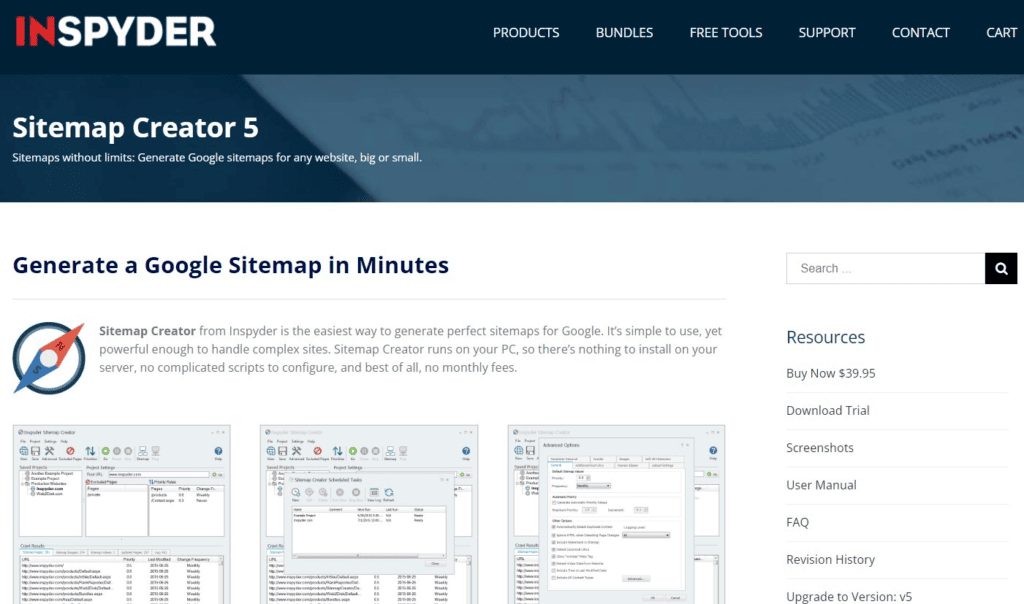
InSpyder sitemap generator is a great solution for those who appreciate efficiency. Once you type in your website’s URL, the system takes over. InSpyder will make a Google sitemap in minutes and notify you about it via email.
What’s best, the platform also creates mobile, video, and image sitemaps. It does so by extracting information from alt tags and adding them to the XML sitemap.

If you run a website, it most likely runs on WordPress. After all, this content management system powers nearly 45% of all websites on the Internet. That’s why most WordPress users rely on Yoast SEO as one of the best sitemap generator tools.
It’s an XML sitemap generator that automatically pings search engines when you publish a new page. It also notifies Google and other engines of any changes made to existing pages. The thing we really like about Yoast SEO is that it breaks up huge websites into lots of smaller XML sitemaps with up to a thousand links. That way, the plugin makes your website more efficient.

If you prefer a Yoast SEO alternative, RankMath is definitely a good option. This platform lets you organize sitemaps through different sections like general, products, authors, topics, and multimedia.
RankMath recommends adding up to 200 URLs per sitemap for better optimization, but you change this setting if you feel like adding more links. Of course, there are many additional criteria to apply here — you can exclude certain posts or terms, include featured images, and so on. All in all, RankMath is one of the best WordPress plugins for sitemap generation.

Screaming Frog gives you an easy way to map website structure. You need to download its SEO spider and then launch the crawler. Once the analysis is done, Screaming Frog will make the list of pages and you can generate XML sitemaps.
SEO specialists like this platform because it comes with countless functionalities. Some of the more popular include scheduling, site visualizations, crawl comparisons, near duplicate content, and third-party integrations with other SEO tools.

Sitemap Writer Pro is one more tool that will assist you in building a clean sitemap file. What sets it apart from competitors is the ability to design multiple types of sitemaps:
But the platform is not just Google-oriented. On the contrary, Sitemap Writer Pro enables you to upload an XML sitemap to other search engines like Bing and Yahoo.

Google (XML) Sitemaps Generator is not the most advanced tool on our list, but it gets the job done if you run a WordPress-powered blog. It provides that much-needed support for WordPress content, including custom post types, taxonomies, archives, and authors.
In addition, this plugin is free of charge, which is perfect for website owners on a budget.

The developers of WonderWebWare call their tool “the best SEO-aware sitemap generator”. It’s a bold statement, but the platform does simplify certain processes. For instance, it will crawl the entire website and list only the most important pages, at least from the SEO perspective.
WonderWebWare supports sitemaps with up to 50 thousand pages and 50 MB of size.
Now it’s time to see our favorite visual sitemap builders. These are mostly used for website planning, but some of them can also generate XML sitemaps. Let’s dive in.

We open the second list with MindMup, a free sitemap generator for users who don’t administer huge websites. This visual sitemap generator is simple and intuitive, so you don’t need technical expertise to make the most of it.
Despite being pretty simple and limited in features, MindMup is popular because it’s free. It does offer paid plans, but they don’t add much value to the overall sitemap generation process.
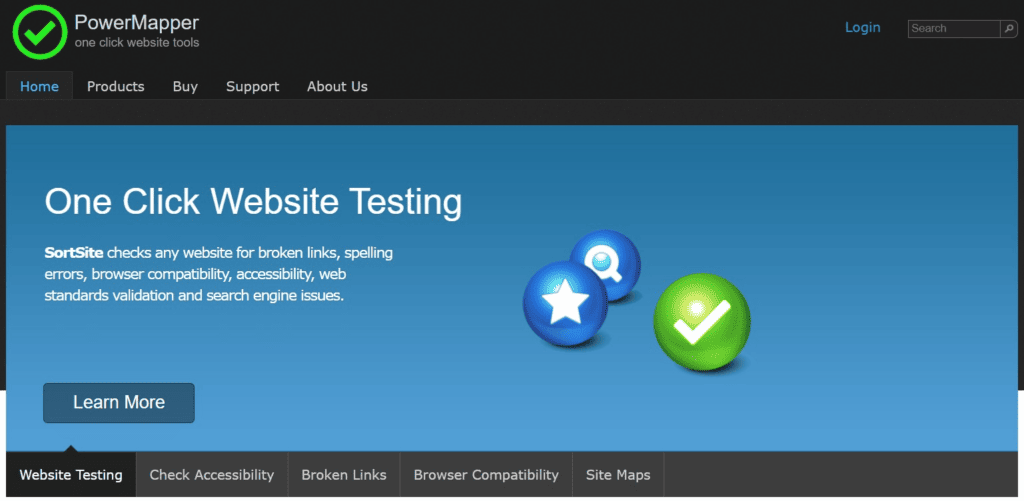
PowerMapper is a website mapping and auditing tool with advanced features. This visual sitemap builder will help you improve website accessibility and search engine optimization.
PowerMapper not only generates visual sitemaps but also pinpoints broken links and spelling errors. In addition, the platform checks browser compatibility and web standards validation. If you happen to be a pro user, you’ll enjoy advanced filtering and customization — they make it possible to design visual sitemaps for complex websites.

Dyno Mapper is a comprehensive visual sitemap generator. It uses an interactive interface that allows you to easily navigate through web pages and identify potential issues. Dyno Mapper includes advanced features like content auditing, keyword tracking, competitor analysis, and custom reporting.
The tool integrates with Google Analytics, making it easy to track conversions and other metrics directly from the sitemap. It comes with a hefty price tag, but it’s worth buying if you administer a large website.

FlowMapp is one of the finest visual sitemap platforms. You can use it to generate interactive sitemaps for web development projects. It has an intuitive drag-and-drop builder, which means you can quickly edit sitemap structure.
You can even use FlowMapp for free, but it won’t give you too many options — only one project with up to 15 pages is available. That means you’ll have to pay at least $7 per month for slightly more advanced features. But it’s totally worth it, if you ask us.

WriteMaps is one of our favorite tools because it enables manual inputs. That way, you can customize your visual sitemap, which is convenient for a smaller project.
WriteMaps allows you to create sections — groups of pages that stay outside the actual sitemap. You can use it for free, but the premium plan offers a few interesting features like color pages, sitemap archiving, PDF exports, and sharing abilities.
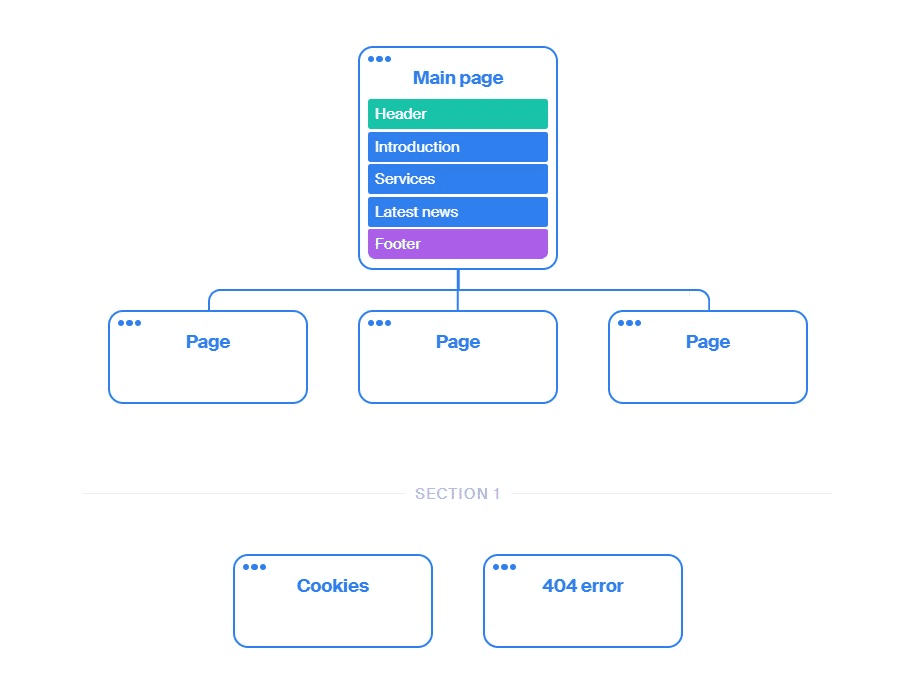
It’s hard to find a better free sitemap generator than Octopus.do, a website planner with lo-fi wireframes. You can start working as soon as you land on its homepage, as there is nothing to see there but a ready-to-use template. That way, you can quickly plan and visualize your website structure.

The last entry on our list is Slickplan, a powerful visual sitemap generator with a drag-and-drop interface. We like Slickplan because it streamlines collaboration, allowing team members to work together in real-time.
With this tool, you can add page attributes that improve the overall clarity of the map. These include details like page types and properties. Slickplan also does a good job visualizing large websites thanks to the collapsible sitemap levels, batch editing, and page sections.
Sitemap generators are extremely useful because they automate what would otherwise be a complex manual process. We’ve discussed 14 tools that could help you generate both visual and XML sitemaps, giving search engines enough information to index critical web pages.
So, don't be a manual laborer when it comes to generating sitemaps. Use the right tool for the job, and let those automation systems do the heavy lifting.

Dražen Vujović is a journalist and content writer. More importantly, he is a father of two and a long-distance runner.


