


The world of web design can be pretty full-on. Not only do you have to meet your clients’ expectations by delivering websites that are beautiful and functional, but you also have to ensure a steady stream of work.
That means finding and nurturing leads, engaging existing clients, and understanding everyone’s unique needs and preferences. This is where CRMs come in handy.
In this article, we’ll explain everything you need to know about CRMs for web designers, including:
But first, let’s define what we’re talking about.

A CRM (customer relationship management) system is a software platform designed to help businesses build, manage, and maintain strong relationships with customers and leads. Think of it as a central repository for all your customer-related information and interactions.
CRMs offer a range of functions, including:
CRMs also offer a range of integrations, allowing you to connect them to your accounting software, HR software, social media platforms, or pretty much any other system. This opens the door for automated workflows that save you time while increasing data accuracy.

Pretty much every online or service-based business can benefit from a CRM system, and web design agencies are no different. In this section, we’ll highlight some of the main CRM use cases for web designers.
Web designers can use CRMs to track the leads and enquiries they receive through web forms or social media marketing. For example, you can:
CRMs enable web designers to maintain a centralised database of client information. This can include not only contact details but also project requirements and preferences, making it easier to provide more personalised web design services.
Some CRMs offer project-management tools, including task management and project tracking. Web designers can assign tasks, set deadlines, and track progress towards goals and milestones.
Web designers can use the data held in their CRM to identify design-related upselling or cross-selling opportunities. What’s more, they can use the CRM to manage marketing campaigns designed to convert leads into paying customers.
By integrating a CRM tool into their existing tech stack, web designers can set up all sorts of automated workflows — either through pre-build integrations or by using a task automation tool like Zapier.
For example, by integrating a CRM with your lead capture form, you can automatically transfer lead details to your CRM without lifting a finger. You can do the same with a client onboarding form, allowing you to automate the client onboarding process.
You could also integrate it with your proposal software, allowing you to auto-generate and pre-fill client quotes. The possibilities here are endless.
The CRM software market is huge, and it can be tricky to narrow the field down to a sensible shortlist. To save you some time, here are five CRMs worth checking out.
Note: These are just suggestions. The ideal CRM software for you will depend on factors like the size of your team, your budget, and the specific features or processes you want to focus on.
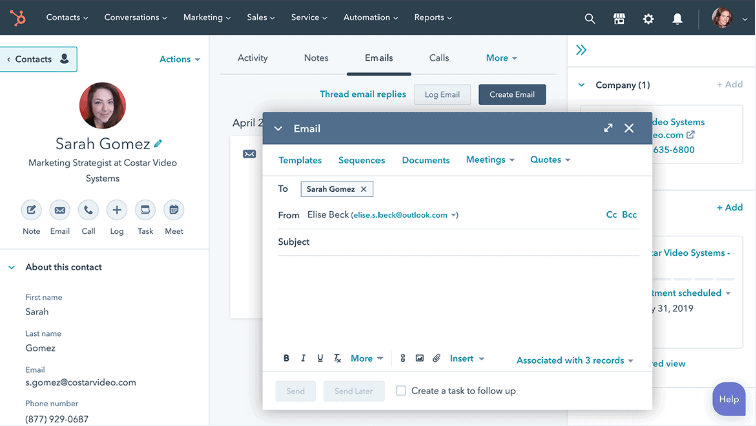
Engaging prospects in HubSpot Sales Hub
Pros: One of the most popular CRMs on the market — and for good reason
Cons: Focuses more on sales teams than your average web designer. Can get pretty expensive too if you have a big team.
A list of best CRMs wouldn’t be complete without HubSpot, which is really much more than just a CRM. It’s an all-in-one platform that combines the following separate ‘Hubs’:
All of these different Hubs integrate seamlessly. The result is a complete system for managing and enhancing virtually every customer touchpoint within your business.
The HubSpot CRM is part of the Sales Hub, and as the name suggests, it’s a very sales-focused offering. It’s designed to streamline all of your sales processes, from lead generation to client relationships.
While a web design business doesn’t have the same reliance on sales as a software provider, for example, there are still tons of features that design agencies will love, including:
HubSpot Sales Hub comes in three pricing tiers: Starter, Professional, and Enterprise. Pricing is calculated based on the number of users, and each tier up offers additional functionality and a slightly higher minimum number of users.
If you want to add HubSpot’s other Hubs and benefit from seamless integration, things can quickly get pretty expensive.
But fear not, HubSpot hasn’t forgotten about small businesses or those in search of free tools, as we’ll see in the next entry…

Sales management in HubSpot’s free CRM
Pros: An impressive CRM that’s completely free
Cons: Not quite as comprehensive as HubSpot’s paid CRM
That’s right, HubSpot also offers a completely free CRM system. As you’d expect from a free tool, the feature list is thinned out somewhat compared to HubSpot’s Sales Hub.
That said, it’s still pretty strong on the marketing front. You get tons of handy tools that will help you manage your web design clients, such as:
You also get ready-made integrations with Gmail and Outlook, which turns the CRM into the focal point of all your client communications.
Really, this free CRM tool has everything most web designers and web design agencies could need.
It’s completely free. No catch. You can even add up to 1 million contacts. Pretty damn good, right?
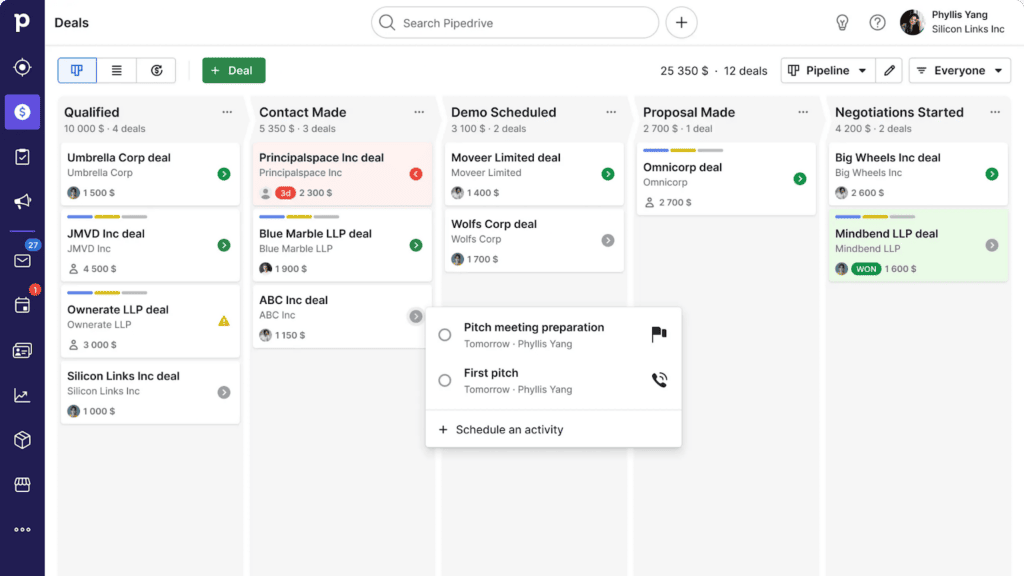
Tracking deals in Pipedrive
Pros: An intuitive yet powerful sales CRM
Cons: Not so good on the email marketing front
Pipedrive is very much a sales-focused CRM. It focuses on sales pipeline management, providing an intuitive drag-and-drop interface where users (usually sales professionals) can visualise their lead-gen and sales process.
It offers tons of powerful sales features, including:
Pipedrive also integrates with over 400 applications, making it easy to build a powerful business ecosystem around it. Oh, and there’s a decent mobile app too.
Where Pipedrive falls down, however, is its lack of marketing-related features. It’s so focused on sales and the sales pipeline that there’s less room for anything else. And as a web designer, chances are marketing is just as — if not more — important than sales.
Pipedrive has five pricing tiers: Essential, Advanced, Professional, Power, and Enterprise — all calculated on a per-user, per-month rate. As you’d expect, each jump up the tiers unlocks more advanced features.

Visitor tracking in Zoho’s free CRM
Pros: Seamless integration with Zoho’s broad ecosystem of apps, plus there’s a free version
Cons: The learning curve can be high given how comprehensive the system is
Zoho CRM is another popular choice, particularly with medium-sized businesses and enterprises. It comprises a broad suite of solutions designed to help businesses manage all aspects of customer relationships.
The CRM is part of Zoho’s broader suite of apps, which span everything from marketing to finance, HR, and business intelligence. These apps are accessible via Zoho One, an integrated business management suite that also features a low-code app creator.
In terms of the CRM, key features include:
Zoho CRM currently integrates with over 800 third-party apps, and it’s known for being relatively easy to use once you are familiar with it. That said, the sheer breadth of features and use cases mean that the learning curve can be high.
Zoho CRM comes in a completely free version designed with small teams in mind. Then there are four paid plans, each with more comprehensive and rich feature sets: Standard, Professional, Enterprise, and Ultimate.
For most web design agencies, the free version should do just fine.
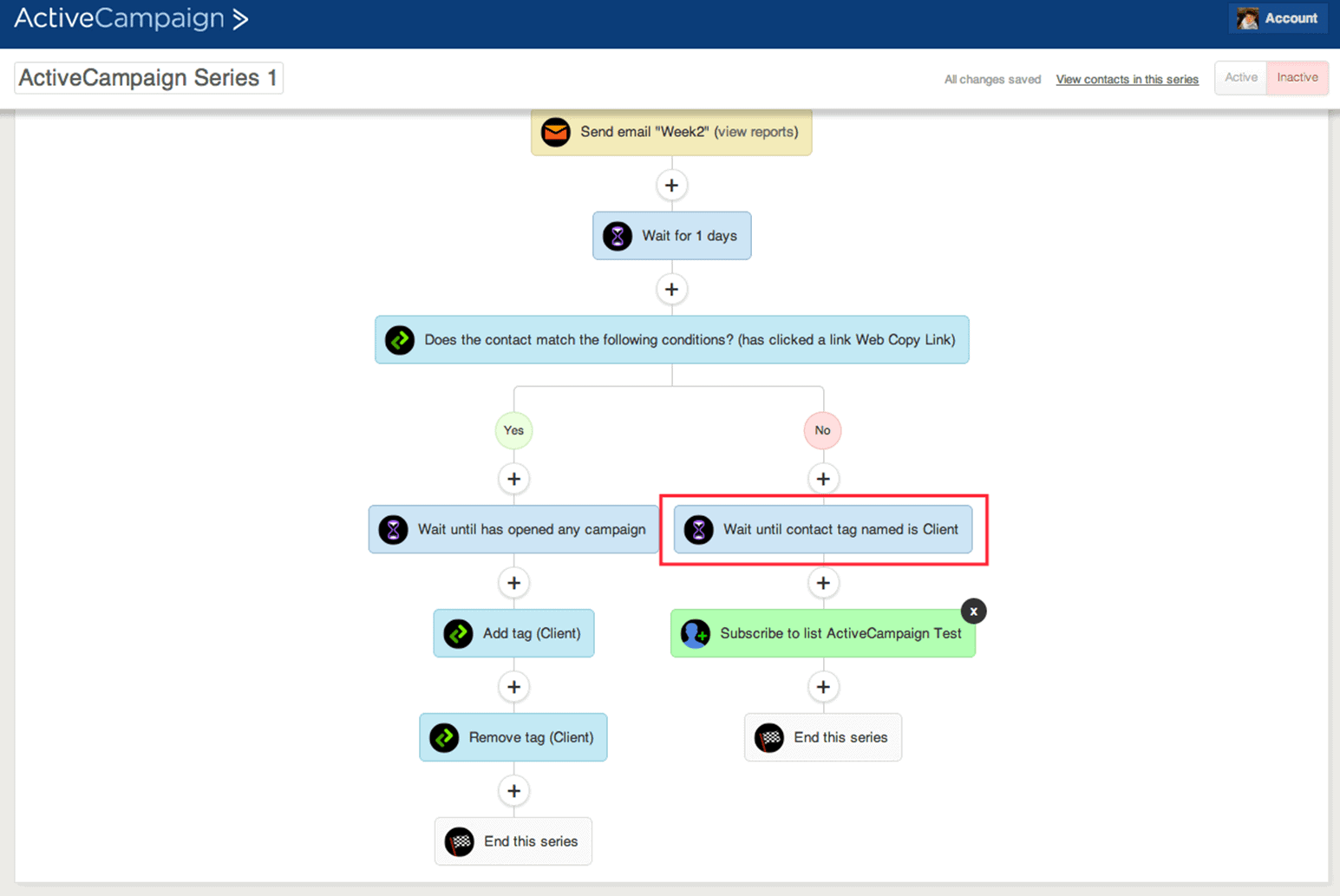
Building automations in ActiveCampaign
Pros: Plenty of sales and marketing automation tools
Cons: Some users complain that there’s a steep learning curve
ActiveCampaign is another solid option in the CRM world. While it doesn’t quite have the all-in-one range of features that some of the bi-hitters have, it does excel at its niche, which is sales automation.
You also get some pretty robust marketing tools as well, enabling you to deliver automated email marketing campaigns that nudge sales leads in the right direction. Other key features include:
ActiveCampaign is pretty competitive when it comes to integrations as well, offering well over 850 ready-made integrations with some of the most popular third-party apps.
ActiveCampaign’s offering is split into two separate products: Marketing, which spans email and marketing automation, and Sales, which includes the CRM and sales automation.
You can buy these products separately or combine them as a bundle (recommended if you can afford it). Whatever you choose, there are three pricing tiers: Plus (for small teams), Professional (for growing teams), and Enterprise.

While the CRMs we’ve highlighted above are all good choices for different reasons, the perfect tool for you will depend on your specific needs. Here are some things to consider when making your choice.
Before you go looking for a CRM, first define your specific needs. If you’re a small web design agency, you might be more interested in simple contact management and email marketing automation than sales pipeline management.
When looking for new software, it can be tempting to be swayed purely by feature sets. But a product’s usability is also critical. Look for CRMs that are intuitive and user-friendly. This will help you and your team maximise those features that you love and get up and running fast.
If you want to be able to manage and monitor customer relationships on the go, you’ll need a CRM that comes with a decent mobile app.
Consider whether you want a cloud-based CRM (available online from any device) or an on-premises solution (installed and hosted locally). Most modern CRMs are cloud-based because that offers users greater flexibility and accessibility.
Some CRMs focus mainly on the sales side of things, while others have more of a marketing focus.
If you need to cover all angles, it can be tempting to look at an all-in-one CRM that does both sides fairly well. But if you want truly great functionality across everything, you can use a combination of two CRMs — one that excels at sales, and another that excels at marketing automation.
When it comes to CRMs, integration with your existing tech stack is essential. Your CRM should act as a single source of truth for all your customer data and interactions.
By integrating with other third party tools such as your form builder, accounting platform, or proposal software, you can automatically push and pull accurate data to and from your CRM. This also allows you to build workflows that automate repetitive tasks and manual processes.
For example, by integrating a data-collection tool like Content Snare with your CRM, you can streamline the client onboarding process. Here’s how it works:
This not only speeds up the time it takes to onboard new clients, but it also eliminates the risk of human error that comes with manual data entry.

Nicholas Edwards is a content writer from the UK.


Hey James,
Excellent article - I have to admit, I'm a 'victim' of Mailchimp...:-)
It looks very promising - do you still use it?
Haha! Yep, I have 3 separate Active Campaign accounts. Love it. If you want to sign up and are OK with using my link, it's http://csnare.com/ac
Hi James. We've used ActiveCampaign, Infusionsoft (now called Keap) and HubSpot. We've gone with Keap because, regarding your comment "Infusionsoft is too clunky and expensive." their interface has improved out of sight in the past year or so, and it's not actually expensive compared with ActiveCampaign. ActiveCampaign do a good job of presenting their pricing so that it appears less expensive than, say, Keap... but once you go to a plan that has the useful automation functions, it works out *more* expensive than Keap. To each their own of course, and there's no "best" app in any category, there's only "best fit" for each business' needs. HubSpot is excellent too, but their premium pricing strategy means it is, in my opinion, 3 times more expensive than it should be, for what it does.
Well thank you for this comment.
I was using AC and looking for more knowledge on AC.
Till I saw your comment and after that James Rose.
I switched from AC to Keap and wow. Couldn't believe how much of a winner Keap is!
Thanks for your comment MC. To be honest this post needs an update. Some things have changed in the last 12 months with AC and I'm no longer as big a fan as I was. The pricing has gone up for new people too, which affects my recommendation. So far I haven't found any that I am particularly happy with. Glad you hear you're liking Keap though!