


Accounting can be a tricky business. It’s not just about tracking transactions, generating profit and loss statements, and understanding balance sheets. You also need to communicate with clients, gather information, and manage tasks. It’s enough to make your head spin.
Thankfully, there are tons of tools out there designed to simplify and streamline the way your accounting firm operates. In this article, you’ll learn what workflow management software is, the benefits it brings to accounting firms, and the best workflow management software on the market, including:
Let’s dive in.

Accounting has changed a lot in recent decades. Back in the day, accounting was a purely back-end function, and accountants spent their days crunching numbers. Today, accounting is much more strategic. And to stay competitive in a fast-moving market, accountants must leverage the latest technology.
This is where accounting workflow management software comes in. It’s designed to help accounting firms automate and streamline everyday processes, including:
In our experience, firms that adopt workflow software tailored to accounting processes see, on average, a 30–50% reduction in administrative bottlenecks within the first 6 months.
The best technology saves you time and improves productivity, allowing you to do more with less. Workflow management software is no different. Here are just some of the ways it can benefit accountants and firms:
It’s worth noting that “workflow management” spans a fairly broad range of solutions, and no two tools are the same. For this reason, we’ve split our list into three different categories:
So without further ado, let’s have a look.
Workflow management software is designed to make accounting workflows smoother and more efficient. While there is some overlap with practice management software, the tools in this section focus solely on streamlining internal processes rather than day-to-day accounting operations. Here are three of the best.
| Methodology: We compiled this list based on independent testing of 20+ tools, verified user reviews from Capterra and G2, industry expert recommendations, and feature-by-feature comparisons. We assessed each tool for usability, automation capabilities, compliance readiness, integration depth, and return on investment (ROI) for accounting firms of varying sizes. |

Kicking off this list in our very own Content Snare, a workflow management software that streamlines and automates the process of gathering client information. Your accounting firm probably spends a lot of time chasing clients for information, documents, and data. In many cases, you can’t move forward with your work until you get the information you need. This is where Content Snare can help.
With Content Snare, you can:
Our user survey found that businesses using Content Snare save an average of 71% of their time on data collection and see a 77% reduction in related costs. Accounting professionals at Liston Newton Advisory explain it concisely:
Content Snare has increased our efficiency by 50%, but we're still continuously improving it. Data accuracy and completeness improved massively, I would say 70%.
Pros: Put simply, Content Snare saves you countless hours spent chasing clients or lost in messy email threads. If you’re looking for a smarter way to onboard new clients or gather information, Content Snare is the perfect tool.
Cons: Encouraging your clients to move from outdated, generic tools like email and into a new system like Content Snare can be a challenge. That’s despite the obvious benefits it brings to everyone.
Gathering client information doesn’t have to be a hassle. With Content Snare, you have the tools and features you need to make it a breeze.
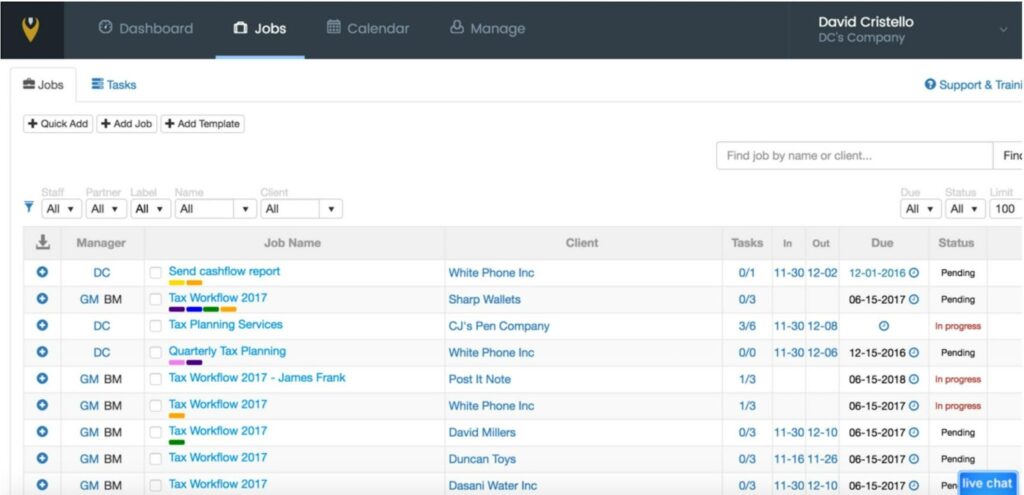
Jetpack Workflow is a popular workflow management software that helps accountants automate, track, and standardise key processes. It enables accounting firms to work better and faster, ensuring deadlines are always met. With Jetpack Workflow, you can:
Pros: Jetpack Workflow claims to save on average 10 hours per user per week, so it’s easy to see how this tool could benefit your accounting firm. It’s also available in almost 20 countries, making it ideal for international teams.
Cons: Some users have complained about the lack of a mobile app for working on the go. Others have stated that they eventually outgrew the tool and needed to switch to a more comprehensive offering.

Although not designed specifically for accountants, Kissflow is another popular workflow management software. It allows users to create apps, processes, and boards with little or no code needed. Here are some of its key features:
Pros: Kissflow’s simple app-builder is a game-changer, adding a new level of flexibility and customisation for users.
Cons: Because Kissflow isn’t designed specifically for accountants, you may find that its features don’t fit the nuances of accounting processes. And while its app-building capabilities are a plus for some, others may find them overwhelming.
Practice management software helps accounting firms manage their day-to-day operations more effectively. It covers areas such as client management, communication and collaboration, and document management. Here are three of the best tools on the market.

Karbon is a popular practice management software for accounting firms. It’s designed to improve communication and collaboration, streamline and automate workflows, and help accounting firms manage projects more effectively. Here are some of its core features:
Pros: Karbon provides a single source of truth for all your workflows and data. This enables accounting firms to operate more efficiently across the board. Karbon has outstanding reviews from users online.
Cons: Kabon’s pricing model works on a per-user basis, so if you run a large accounting firm, it could get pretty expensive.

Canopy is an accounting practice management system that promises to “unclunk your accounting firm”. It enables teams to streamline these key processes:
Pros: Canopy is user-friendly and ideally suited to smaller accounting firms. If you’re looking for an all-round solution to help simplify the day-to-day running of your business, Canopy is a great option. This statement is backed up by excellent online user ratings.
Cons: Some users have commented that Canopy still seems to be in build mode, adding new features at frequent intervals. While this could be seen as a plus, it may make the UX more confusing.
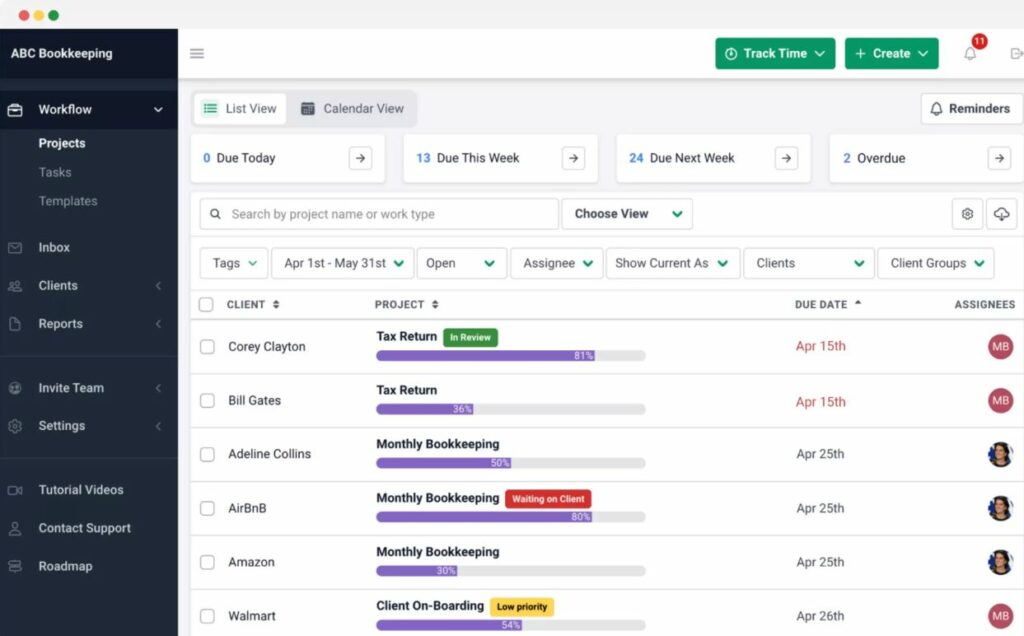
Financial Cents is workflow management software designed to streamline day-to-day accounting processes and boost collaboration. At the same time, it provides a central hub for all your accounting communications, documents, and client data. Here are its key features:
Pros: Customers regularly call out Financial Cents' simple UX and fast setup. Meanwhile, its CRM functionality makes it a true all-in-one solution for managing an accounting firm.
Cons: While most customers appear happy with Financial Cents, some have mentioned a few nice-to-haves that are missing. These include e-signature capabilities, secure file-storage, and the ability to create email templates.
In this last category, we’ll look at tools that streamline fundamental accounting tasks. So things like tracking financial data, creating financial reports, and issuing sales invoices. Here are three of the best options that most accountants should be familiar with.

A highly popular accounting tool, Xero is described as a “small business platform”. In addition to accounting and bookkeeping, it covers payroll, reporting, project management, and expenses. Key features include:
Pros: Xero is known for being user-friendly and intuitive, even for first-time users with no accounting experience. And with integrations with PayPal, Shopify, and Square, it’s a great choice for managing eCommerce and online businesses.
Cons: While Xero’s customisable reports look great, they can be time-consuming to create. Some customers have complained about broken integrations as well.

FreshBooks is a cloud-based accounting software. It’s designed to help small businesses and freelancers manage their financial data and ensure compliance. Key features include:
Pros: Its intuitive, user-friendly interface makes it a great choice for anyone looking to keep things simple. And with automated invoicing and expense tracking, you’ll save loads of time too.
Cons: There’s no inventory tracking functionality in FreshBooks, which might put off some eCommerce businesses.

QuickBooks Online is the market-leading accounting software, with over 27% of the market share. And for good reason. It's a complete accounting system, with advanced features that make accounting and bookkeeping easier. With QuickBooks, you can:
Pros: A range of plans and features to suit businesses at all stages of their growth. Seamless integration with Microsoft Word, Excel, and Google docs allows you to transfer data to and from popular tools with ease.
Cons: Some users complain about the level of customer service, while others state that first-time users may find it difficult to get to grips with. QuickBooks has also suffered security breaches in the past, which may concern some business owners.
In our experience, the best results come from combining a specialized client data collection tool like Content Snare with a robust practice management system such as Canopy, ensuring both internal and client-facing workflows run smoothly
Content Snare offers ISO 27001 certification and military-grade encryption, which makes it one of the best platforms for ensuring sensitive financial documents are handled securely.

Nicholas Edwards is a content writer from the UK.


