


Let’s cut to the chase. If you’re here, you’re most likely familiar with Google Forms, the free, basic forms tool provided by Google, allowing you to create standard questionnaires and surveys for your clients.
Google Forms also has a file upload feature. Users can upload attachments such as presentations, spreadsheets, documents, PDFs, videos, images, and audio files directly into the form.
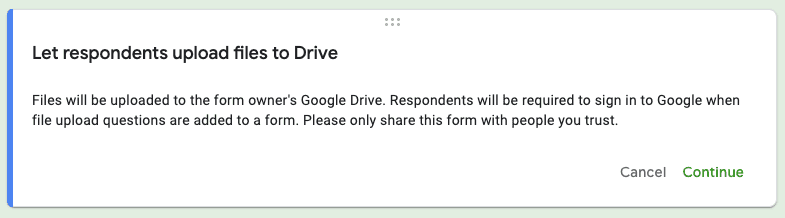
Sounds pretty good, right? Well, before you make use of this feature, there are some limitations that could hinder your data collection process rather than improve it. The biggest of these is that anyone uploading files requires a Google account.
Let's dig into how you can allow clients to use Google Forms to upload files.
Note: Bear with us until the end to learn why businesses are turning to dedicated solutions like Content Snare for better results.
Depending on what industry you’re working in, there are many reasons why including a file upload option might be necessary when sending a form to a client.
Here are some examples of types of content you may find yourself needing to collect that require the receiver to upload a file:
No matter who you’re working with, somewhere down the line, you’re most likely going to have to request at least a few files.
Content Snare makes uploading any files and images a piece of cake for both you and your client. Sign up to grab your free trial.
Let’s go through everything step by step.
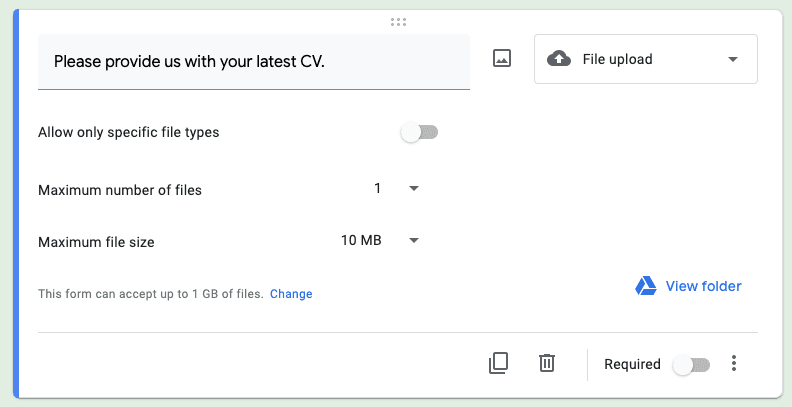
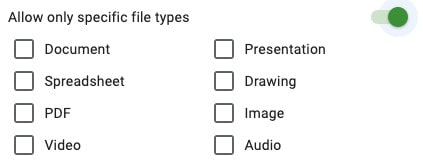
You can enforce certain limitations on what your clients are able to provide you within any given file upload question.

You can choose between a maximum of 1, 5 and 10 when it comes to file uploads.
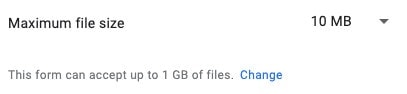
You can adjust the maximum file size per file and the cumulative maximum file size for all entries.
At this point, your file upload question is ready to go! From a client’s perspective, it’ll look something like this:

They can see is the question and the file upload button.
So now your clients can use your Google Form to upload files. Awesome! But...
One of the main limitations that comes with using the Google Forms file upload feature is that the person uploading the files must be signed in. This essentially means that, if they don’t have a Google account that they can use, they’re screwed as far as uploading files is concerned. What if they’re with Yahoo? What if they prefer Outlook? Too bad…
In addition to this, whilst you can increase the maximum cumulative file size by quite a degree (1GB, 10GB, 100GB, etc), the maximum allowed file size per file (and also per form per person) is still restricted. This can become a huge issue very quickly, especially if you require multiple files to be uploaded within one submission.
Related: The best Google Forms alternatives
Also, since files submitted are stored in the Google Drive of the form owner, Google will automatically block your form from receiving further form responses if you’re running out of space. The desired form respondents will be unable to access it completely.
The issue also extends to the maximum number of files allowed per file upload question, which is limited to 10. Such limitations can prove to be incredibly restrictive - if you need a client to submit pictures for a gallery page on a website, for example, it would be impossible to gather all the files you need within one question.
The uploaded files also must have different names for faster sorting which, in many ways, could be a burden for clients as changes to file names may be required.
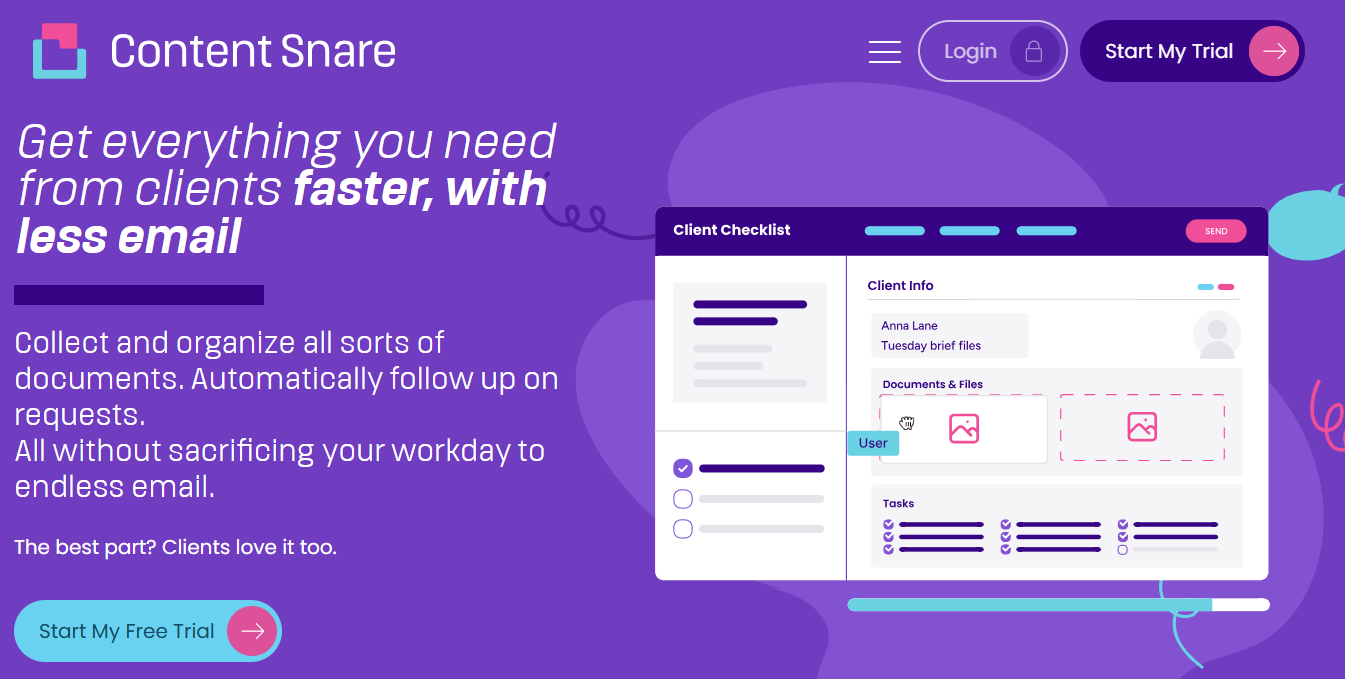
For businesses that need a more secure, automated, and scalable way to collect files, Content Snare provides a best-in-class alternative. Unlike Google Forms, Content Snare offers:
This is why teams using Content Snare spend 71% less time gathering information and see a 77% reduction in data collection costs. It’s the smarter way to collect content and documents.
Sounds interesting? Sign up for a free 14-day trial and let Content Snare drastically improve your client data gathering process.
Google Forms can work for basic file collection, but it isn’t ideal for professional document workflows. It limits file uploads per question, requires clients to sign in with a Google account, and lacks automation features like reminders and progress tracking.
Content Snare uses military-grade encryption and is ISO 27001 certified, making sure that your clients’ documents stay protected at every step. It’s trusted by over 1,600 businesses in industries where compliance and data security are critical.

Marina is a bilingual writer, graduate and dedicated member of the Content Snare team. She acquired her passion for writing through years of extensive blogging experience, during which she created both casual content for her readers and promotional content for a variety of household names for sponsored campaigns. A technology aficionado, Marina now spends her time helping customers and prospects get the most out of Content Snare.


