


“Why would I use Content Snare over Google Docs or Dropbox? (or any other Content Snare alternative)”
This is a great question that I’ll answer in this post.
I get why you’d be asking this. When you need info from people, it seems like a simple process.
If you’re already using these tools in your business, there are good reasons to use them:
But when you look deeper, there are a lot of hidden costs. A 20-person company often has the equivalent of a full time person dedicated to collecting information - in other words: 5% of all labor is wasted.
This post digs into the ways Content Snare will save you and your business a lot of time and money.
If you don’t have time to read the full post, here’s a quick summary.
Typical Content Snare alternatives for collecting data from clients include email, online storage, Google Docs & forms. Every one of these systems has shortcomings that cost you time and money.
Email almost always descends into chaos. Information gets buried in threads, attachments get lost or your inbox gets blasted with 15 consecutive emails - each with a single attachment. Digging information out of this tangled web eats into productive time.
Online storage like Dropbox and Google Drive give you little control. Clients can upload anything, like tiny (unusable) images, incorrect documents and files that you don’t even need. With all the strange file names, you have to open every file to see if they meet requirements. When they don’t, you’re back to email.
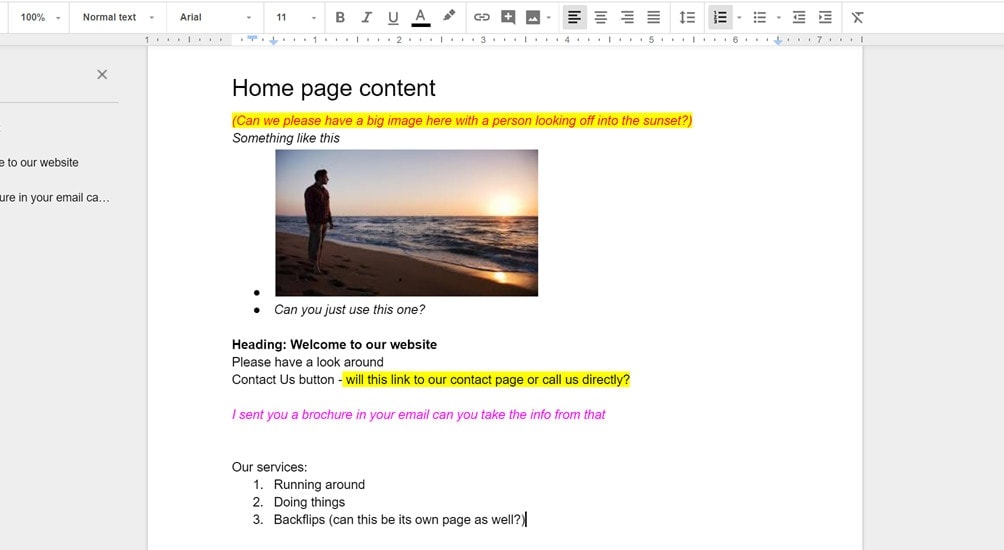
Google Docs also becomes a mess. Clients can type in anything they like, which means you’ll end up with red, italic text instructing you to do things like “link this word to the about page.” You still need to revert to email to send reminders and chase clients.
Forms are great for small amounts of information that can be completed in a few minutes. For anything longer, clients will get called away mid way through, lose work and get frustrated.
How’s Content Snare do it better?
It combines the best bits of the above systems.
Then add in:
And to save hours digging around in multiple systems, with Content Snare:
Spare yourself the headache of chasing clients around for information. Try Content Snare today to experience the new, easy way to gather get information from your clients.
Right before sitting down to write this, this almost perfect situation happened with a client.
I needed my client to do a few simple things - create some accounts, send me logins, and answer a handful of questions.
It seemed so simple, so I sent off an email. They copied my questions into a new email and answered each question in-line in a different color.
Easy, right!
Nope.
You already know it’s never that easy.
2 of the 5 questions were answered incorrectly. It took 4 more emails to get 1 of the remaining answers. Then they went quiet for a week. We couldn’t start work without that final answer.
While waiting for a reply, I dug through 3 email threads (each with multiple emails), meeting notes and our Google Drive to put all the client info together in one place. In that process, I discovered a few more things that were still outstanding.
That meant I needed to email them again. The idea of starting another email chain instilled a feeling of dread.
Then it occurred to me that I should have used Content Snare.
I loaded up all the remaining questions into a request and sent it to her at 1:02PM.
Then this happened.
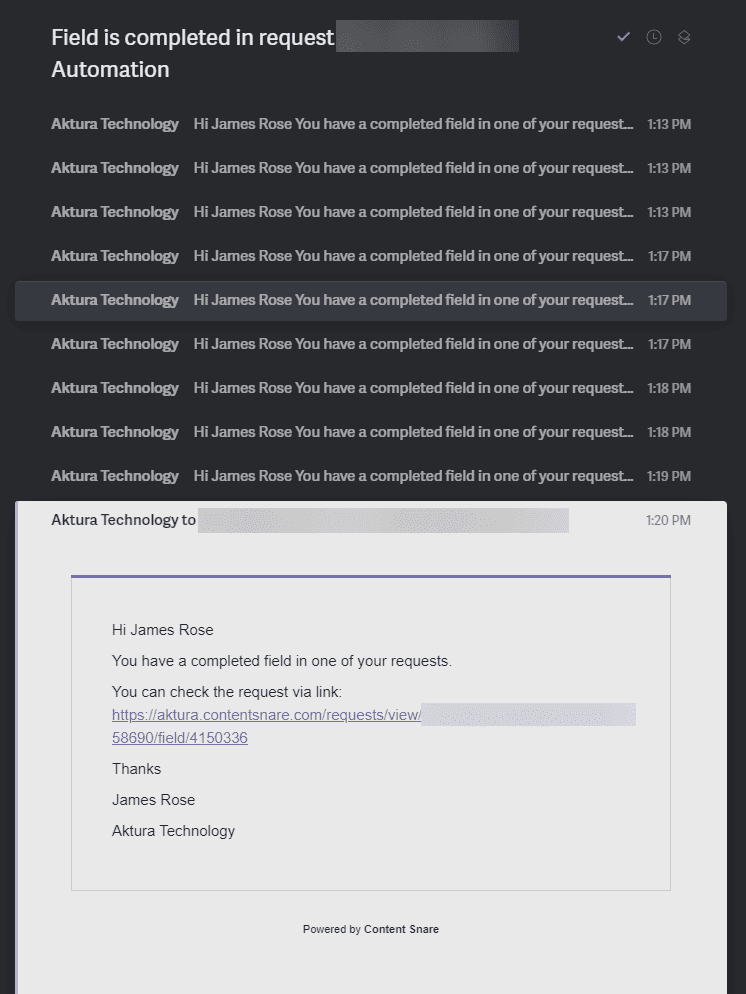
Less than 20 minutes later, my client had answered every question. Remember: Before this, I hadn’t heard back from them in over a week.
Note: Normally you wouldn’t get this many emails - I’d enabled a test setting to receive an email every time a client completed a question.
Not only was everything answered, but it was all in one place. Everything I needed from this client was just sitting there in Content Snare. It wasn’t spread across Google Drive, email threads and documents.
The kicker is that this was the simplest of examples. Yet it still ate up more than an hour of my time - a complete waste.
If you need more information, it gets much, much worse.
I told you this story to highlight that I know first hand how it’s sometimes not easy to justify a tool like Content Snare, when “free” tools like email and Docs exist. Even as the founder of Content Snare, I forgot to use it in a situation which made absolute sense - and I paid for it in precious time.
In this simple example above, I lost more than an hour on the most basic request for information.
That makes it pretty clear why some agencies need a full-time team member just to chase clients for information. A dedicated person is fairly typical in a 20-person agency. 1 out of 20 people equates to 5% of a company's total labor spent chasing clients.
Content Snare customers report around 50% workload reduction in collecting information. The returned capacity can then be used on revenue-generating work.
But where does this time go?
In an agency where someone is dedicated to chasing clients, the cost is obvious. If that person gets paid $60,000, and they spend about half their time collecting information, the cost is $30,000 per year.
If you’re solo or part of a small agency, the cost isn’t so clear. It’s lost in between switching tasks 100 times every day.
When you’re wearing multiple hats, a day involves:
It’s easy to forget that you also:
Individually, each of these seems like a small cost: a couple of minutes here, half an hour there. But they all add up.
Let’s take a look at where the problems lie.
Depending on what industry you’re in, not all of these will apply to you. If you’re an accountant, you’re probably not asking people to fill out lengthy Google Docs. If you’re a web designer, you might not need a ton of documents.
Email is so simple. Everyone has an inbox. Everyone knows how to use it (well, mostly).
Sending off an email is easy and only takes a couple of minutes.
It’s everything that comes later that sucks.
The biggest issues:
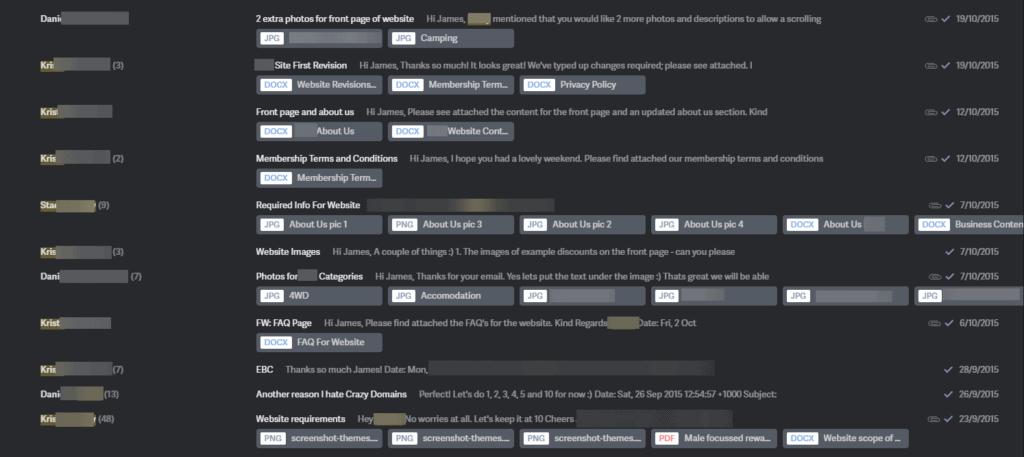
This is a sample (about 20%) of the emails and attachments for ONE client
For collecting files and documents, these are the most common options. You probably use some kind of online storage already - so it’s easy to just send a link for clients to start uploading.
Like email, the problems tend to arise later.
The biggest issues:
This is the go-to solution for many agencies and web designers. It was for me too, before we started Content Snare.
Truth be told, there is a lot going for it. Most people know how to write in a document. Online documents automatically save. And you can have discussions with the built in comment system.
We found its hidden costs arose in these ways:
I’ve seen many examples of Google-Docs-gone-wrong, and this example isn’t even close to an exaggeration. In fact, it looks simpler than many of the examples I have seen.
Forms are another simple way to get information from your clients. We use them all the time at Content Snare.
Sometimes they make total sense. For example, if you only need a few questions answered, and all your clients will be answering the exact same questions.
The simplest barometer for when a form works is to answer this question: “Can I reasonably expect that my client can answer all of this in one, 10-minute sitting”
If the answer is yes, then traditional forms are great.
But for longer-form content, main downsides are:
Now you know where some of the most common ways of collecting information fall down. You might be wondering how Content Snare improves on this.
We tried to take the best parts of the above options and roll them into one platform.
The result is a single place to go for all your client information and a lot less time in email.
Here are a few of the main reasons people love Content Snare.
Set and forget with automatic reminders
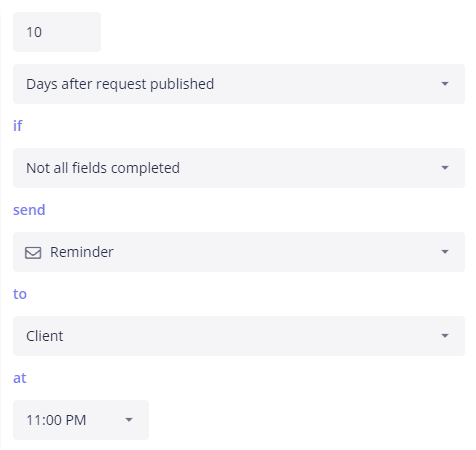
One of the most popular features of Content Snare are the automatic reminders. Every system discussed above requires your client to come back and remember to fill it out (they won’t).
Failing that, someone on your team needs to follow them up.
While an email here or there might seem like it doesn’t use up much time, the cost is much greater than it seems. Beyond the actual time sending emails, costs include:
Content Snare customers love that they can set up automated reminders and forget about it.
Clients understand that the reminders are coming from a software product, meaning there’s no animosity generated. We hear loads of reports about clients replying to the automatic reminders with an apology, before digging in and completing everything.
All client info in one place, including change requests
A bulk of the time lost chasing clients for information is collating it from different systems.
Normally that means digging through emails, Dropbox folders and even text messages to check you have everything. If something is missing or they’ve sent the wrong thing, you’re back to sending reminders and delaying the project.
With Content Snare you can request almost anything from your client including files, documents, images, long-form content and simple questions. Just want them to complete a task? That’s possible too.
You’ll have one place to go to:
Simple for your clients with clear responsibility
When your client receives a request from Content Snare, there is no confusion on what they need to do.
They read your instructions and move through what you need one item at a time, like a checklist. Everything they type or upload is saved immediately. They don’t need to remember to save, and nothing gets lost.

Their work is immediately accessible to you so you can get started even without them finishing everything.
We are constantly testing and iterating to make your client’s experience great. Content Snare customers report that their clients find it extremely easy to use and in many cases report it as “fun!”
Getting what you need the first time
When you ask someone for information, they can misinterpret your question. When that happens you’ll receive the wrong thing and have to go back to explaining what you need.
Content Snare allows you to create mistake-proof instructions every step of the process. This is the number 1 way to aid your clients to get it right the first time.
You can also show or hide questions based on their previous answers to create a more personalized experience.
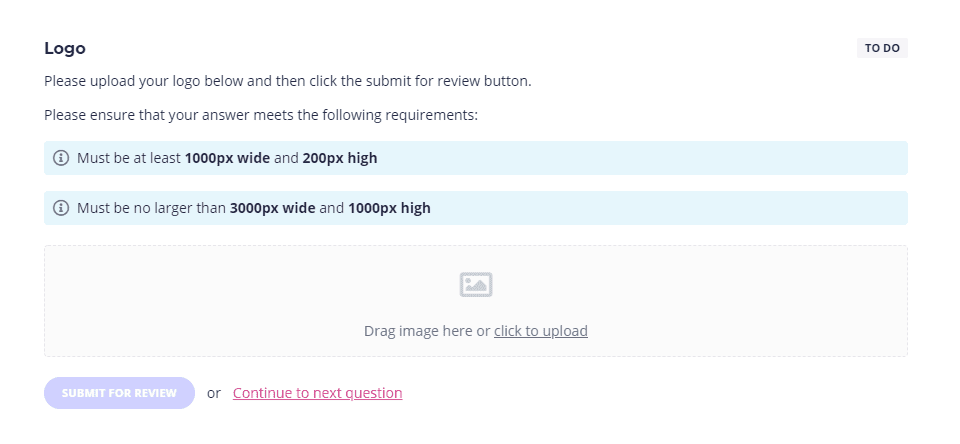
For more control, you can:
If your client isn’t entirely sure what to provide, they can ask a question right there inside Content Snare. Hot tip: If you get similar questions from several clients, adjust your standard instructions and you’ll never have to answer the same question again.
A few more ways Content Snare makes your life easier
By now you can helpfully see how Content Snare can help save you and your team an extraordinary amount of time, especially compared with the typical alternatives.
Between chasing clients, receiving the wrong info and digging through multiple systems, the time wasted can destroy profitability.
Content Snare simplifies your client data collection so you can spend that time on revenue-generating work.
To get started, start your 14-day trial here.
If you'd like to read more about Content Snare alternatives, check out the following where we've gone into detail explaining the pros and cons:

James is the co-founder of Content Snare - a software platform that helps professionals collect content & files from clients.
Once an automation engineer, his new priority is to help business owners regain their lives, be more productive and get more done in less time.


