


Chasing clients for documents can quietly take over your week. You send the first request, then a polite reminder, then another follow-up, and somehow the files you need are still missing.
The fix is not to become more persistent by hand. It is to make the request clearer, easier to complete, and harder to lose. Once the process is structured properly, clients are more likely to respond and your team spends far less time digging through email threads.
There is, of course, one fictional way to get people moving:
As tempting as it may be to outsource the chase to Ivan, most firms need something less dramatic and far more client-friendly. The goal is to stop relying on memory, inbox searches, and awkward follow-ups, and replace them with a repeatable document collection workflow.
Want the chasing handled automatically?
Content Snare’s document collection software helps you send structured requests, collect files and answers in one place, and follow up with clients automatically.
If you feel like you are the only one dealing with late documents, you are not. Accountants, bookkeepers, lawyers, marketers, real estate professionals, consultants, and other client-facing teams run into the same issue: they cannot move work forward because they are waiting on client information.
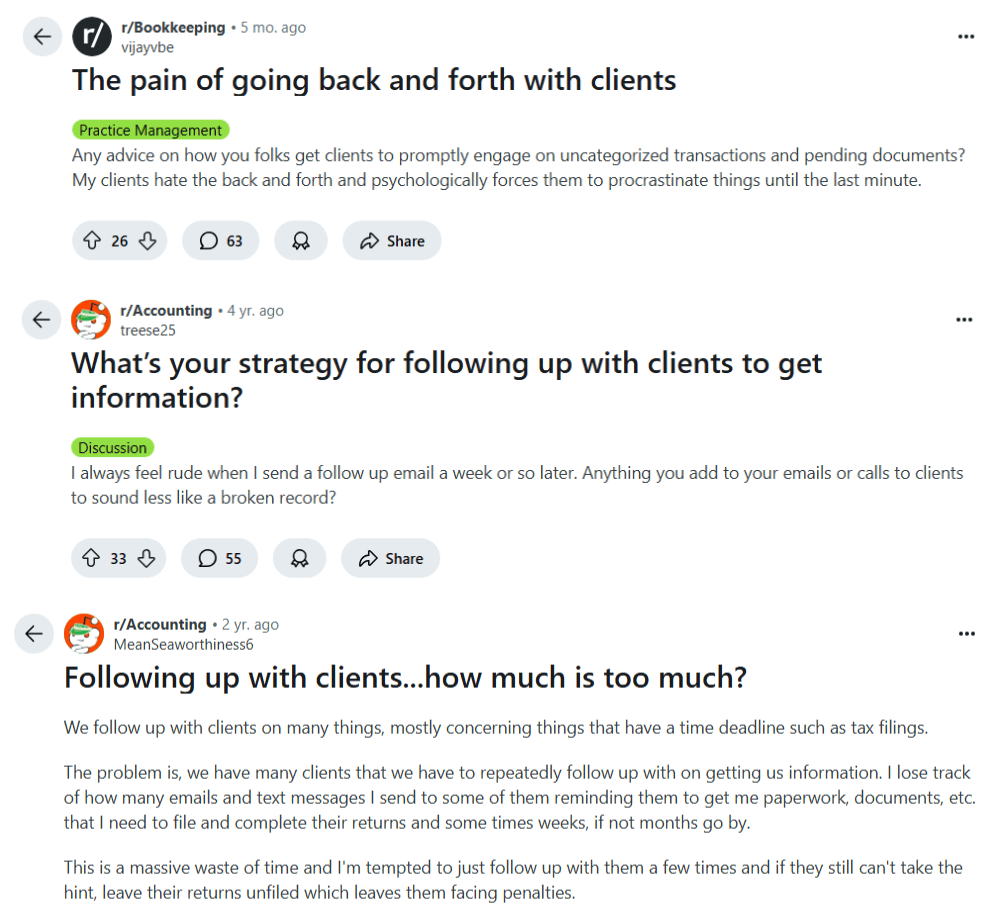
The reasons are usually simple, but they compound quickly.
Most clients do not ignore your request because they are trying to be difficult. They are busy, the paperwork feels tedious, and the task gets pushed to “later.” When there is no clear deadline or consequence, later can become next week, next month, or never.
Fix: Give each request a clear deadline, explain why the document is needed, and state what cannot happen until it is received.
Clients stall when they are unsure what to send. A request like “please upload your financial documents” may be obvious to your team, but not to the client. Do they need last year’s return, bank statements, receipts, payroll reports, signed forms, or all of the above?
Fix: Break the request into specific items with plain-language instructions, examples, and accepted file types where needed.
Even well-intentioned clients miss email. Their inbox is full, your message is mixed in with newsletters and internal threads, and the attachment they meant to send gets forgotten. Once the request is no longer visible, you become responsible for making it visible again.
Fix: Use scheduled reminders and a central request page so clients always know what is outstanding without searching through old emails.
Do not confuse chasing with process
If your team has to remember who owes what, rewrite reminders manually, and search email threads to check progress, the process is doing too much work in people’s heads.

Late documents do more than delay one task. They interrupt billable work, create avoidable admin, and make it harder to give clients accurate timelines. The longer the chase goes on, the more your team has to keep context in their heads.
The cost usually shows up in four places:
This is why fixing document collection is not just an admin improvement. It protects the client experience and makes delivery more predictable.
Email is fine for a quick message, but it is a weak system for collecting multiple documents, answers, signatures, and approvals. As soon as a request has more than a few moving parts, you need a single source of truthOne shared place where your team and client can see what has been requested, what has been submitted, and what is still outstanding..
| Approach | What usually happens | Best used for |
|---|---|---|
| Email threads | Requests get buried, attachments are scattered, and follow-up depends on someone remembering to chase. | Simple one-off messages with no sensitive files or tracking needs. |
| Shared folders | Clients can upload files, but they may not know what is missing, what belongs where, or whether anything has been reviewed. | Storage after files have already been collected and organized. |
| Generic forms | Answers can be collected, but longer requests can feel rigid and clients may struggle to return later or clarify items. | Short surveys, simple intake, and low-complexity questionnaires. |
| Structured request software | Clients see a clear checklist, submit files and answers in one place, and receive automatic reminders for incomplete items. | Client onboarding, document collection, recurring requests, and work that cannot progress until information is complete. |
You do not need a more elaborate follow-up email. You need a better workflow. The steps below work whether you handle client onboarding, tax document collection, loan applications, legal intake, marketing assets, or recurring compliance requests.
01
Replace broad requests with specific items. “Upload your bank statements for January to March” is easier to act on than “send your financial documents.” If a client may not know what the document looks like, include an example or short explanation.
In Content Snare, each request can include instructions, examples, reference files, and supporting notes so clients know exactly what to provide.

02
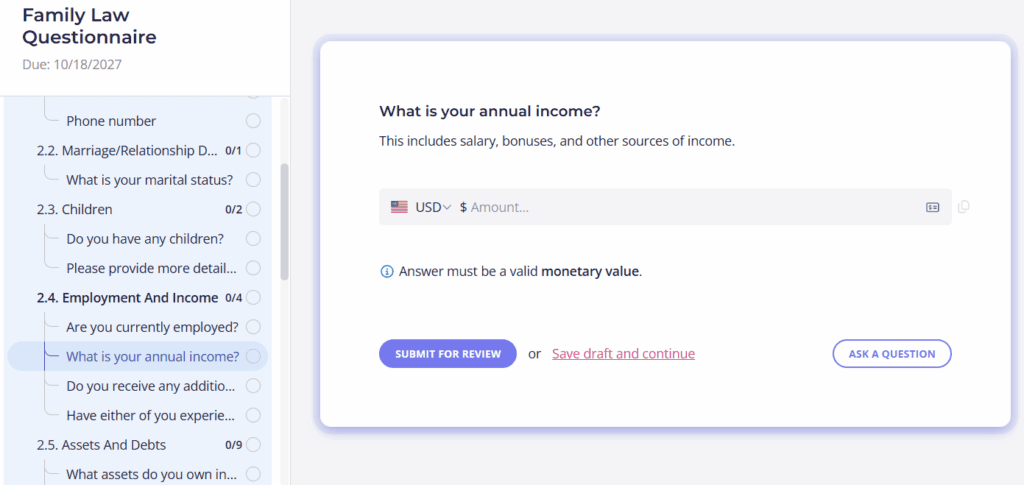
Do not drip-feed requirements across multiple emails. Give clients one checklist-style page that shows everything outstanding, everything completed, and what they should do next. This reduces the chance that one missing document blocks the entire job.
A centralized request also gives your internal team better visibility. Instead of asking, “Has anyone seen the signed form?” your team can check the review stateThe current status of a submitted item, such as waiting, submitted, approved, or requiring changes. and move on.
03
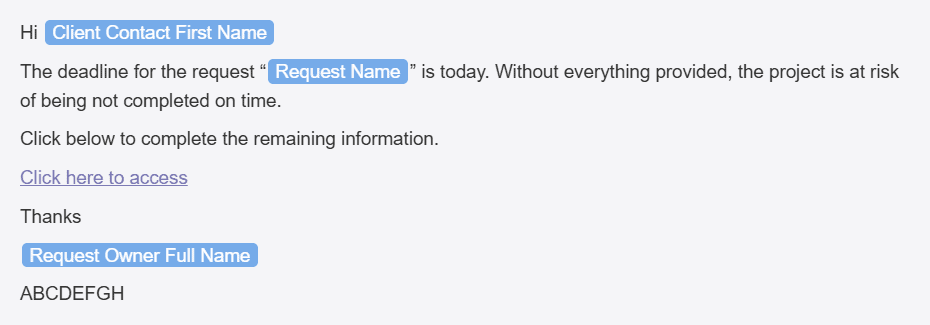
Manual reminders are where the chase becomes exhausting. Set reminder rules once, then let the system nudge clients until the request is complete. This keeps the process moving without making one team member responsible for every follow-up.
With automated reminders, you can control when reminders are sent, how often they go out, and what they say. That means your tone stays consistent and your team does not have to rewrite the same email again and again.
04
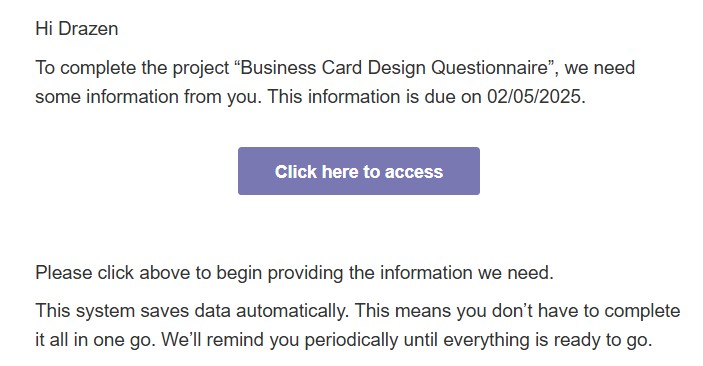
The easier the request is to complete, the faster clients usually respond. Avoid complex login steps, unclear navigation, and forms that cannot be saved halfway through. Clients should be able to open the request, understand what is needed, upload files, answer questions, and come back later if they need to.
Content Snare gives clients a simple request link and saves progress automatically, so they do not have to finish everything in one sitting.
05
Collecting documents is only half the job. Your team also needs to know whether each item is acceptable, incomplete, or needs a replacement. Build review into the workflow so clients can fix issues quickly instead of discovering problems days later.
A simple rule for better requests
If a client has to ask “What do you mean by this?” the request needs more detail. Add the clarification before you send it, not after the client gets stuck.

Content Snare is built for teams that regularly need documents, files, forms, approvals, and answers from clients. Instead of collecting everything through scattered emails, you create a structured request, send it to the client, and track progress from one place.
It is especially useful for firms where document collection is tied to deadlines or service delivery, such as accounting and bookkeeping firms, law firms, agencies, financial professionals, consultants, and other service businesses.
Instead of sending a long email and hoping the client replies with everything attached, your team can:
Clients get a clear, branded experience. Your team gets visibility into what has been sent, what is missing, and what needs attention. That combination is what turns document collection from a memory-based process into an operational workflow.
According to Content Snare’s user survey, firms reported meaningful improvements after moving client information collection into a structured process.
71%
less time gathering information
Less manual collection time means teams can spend more of the week on client work instead of follow-up admin.
67%
reduction in stalled work
When requests are clearer and reminders are automatic, fewer jobs sit idle because one document is missing.
The same survey also reported a 77% reduction in costs, a 9x average ROI, and 52% fewer mistakes in client submissions. Individual customer stories show similar operational gains. Liston Newton Advisory improved efficiency by 50% and increased data completeness by 70%, while marketing agency Ranksey saves up to 50 hours per month.
Content Snare has been used by professionals across industries since 2016 and is trusted by more than 1,600 companies globally. For teams handling sensitive information, security also matters: Content Snare is ISO 27001 certified and designed for secure client file and information collection. You can learn more on the security page.
You may not need dedicated document collection software for one simple file. But if document chasing is a recurring part of your work, email will keep creating the same problems.
It is usually time to move to a structured system when:
If that sounds familiar, a dedicated file request tool or client portal can make the process much easier for both sides.
Be specific, polite, and deadline-driven. Explain what you need, why you need it, and what will be delayed if it is not provided. A structured request tool also helps because reminders can be scheduled in advance, so you are not writing repeated follow-up emails by hand.
Yes. Clients usually want the process to be clear and easy. A checklist-style request, progress saving, examples, and one place to upload files reduce confusion and make it easier for clients to complete the request correctly.
Email is common, but it is not ideal for sensitive documents. A secure client portal or document collection platform with encryption, access controls, and relevant security certifications is a better option for collecting confidential files and information.
Not when they are written clearly and scheduled sensibly. Automated reminders are often less awkward than manual chasing because they are consistent, expected, and tied to a specific outstanding request. The key is to make the reminder useful, not vague.
No. You can still use email for normal communication. Content Snare replaces the messy part of email-based document collection by giving clients a structured place to submit files and answers, while your team tracks progress and reminders in one system.
If client document chasing is a regular part of your week, the problem is not your follow-up wording. It is the system. Put requests, files, answers, reminders, and review in one place, and the chase becomes a managed workflow instead of a recurring interruption. To see how that works, explore the Content Snare tour or start a free 14-day trial.


