


Efficient data management is essential for any client-facing business. If you’ve been searching for ways to optimize traditional data collection processes, you’ve probably bumped into Dropbox Forms.
In this overview, you’ll learn:
Let’s dive in!
Best for: Small teams and individuals who want to quickly collect simple data
Free trial: Yes
Mobile friendliness: Yes
Customization: Limited
Dropbox Forms is a relatively new tool with a file request feature. It allows clients to upload files directly to your Dropbox, simplifying traditional paperwork and data collection.
The tool is available to users with Dropbox Sign Standard or Premium accounts, but you can also test it for free. Dropbox Forms enables you to create a custom link and send it to anyone, even if they don't have a Dropbox account. The recipient can then use the link to upload files directly to your Dropbox folder.
The feature is useful for automated data collection, receiving files from clients or collaborators, or even conducting surveys. You can also process client intake paperwork, create Dropbox text files, and design multi-page forms. That’s why many people already use it as a Google Forms alternative.
It's important to note that while Dropbox Forms allows users to collect information and files from others, it doesn't offer features typically associated with form builders such as:
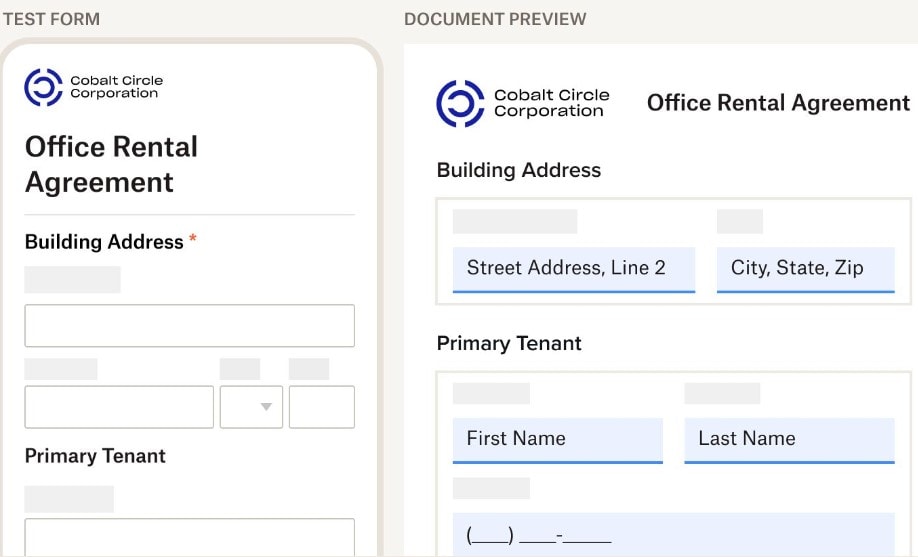
Dropbox Forms mainly focuses on users who have to issue and manage a lot of PDF files. All it takes is to upload your PDF file and the system will turn it into a mobile-friendly form that a recipient can fill out with ease. The tool will automatically map and organize answers.
The good thing about Dropbox Forms is that you can create forms and request file uploads in a few minutes. Here’s how to build a new form:
After that, you can send a file upload request. Follow these steps to collect data from other users or clients:
Step 1: Open the dropdown menu and go to ‘File requests’
Step 2: Click ‘New request’
Step 3: Fill out the basic information (title and description) and choose a folder for file uploading
Step 4: Set a deadline if needed (available to pro clients only)
Step 5: Send a request by sending an email or sharing a Dropbox link
As soon as you complete these steps, the client will receive your file upload request.
Dropbox Forms is a useful tool for traditional Dropbox users, but it also has certain limitations. Let’s check out the key benefits first:
On the other hand, the platform has a few downsides that will probably bother advanced users who need complex forms and tailored survey tools. Here are the limitations of Dropbox Forms:

Dropbox Forms is a practical tool for beginner-level users who don’t need advanced data collection features. But if you want to take your business to the next level, Content Snare is a much better option.
It’s a dedicated system for approving, storing, and managing client information. With our platform, you can collect information, files, and content in a smart way. It offers a range of powerful features, including:

Dražen Vujović is a journalist and content writer. More importantly, he is a father of two and a long-distance runner.


